devops.4
| Project | attracs-devops | |
|---|---|---|
| IP address | 34.88.146.109 | |
| Services | airbyte, abc, def, xyz |
Update instance settings
Devops 4 is an instance in a managed instance group. If you need to update the instance settings, you can do so like this:
1. Create a new snapshot from the devops.4 disk
2. Create a new image from said snapshot
3. Copy the in-use instance template to start creating your new instance template
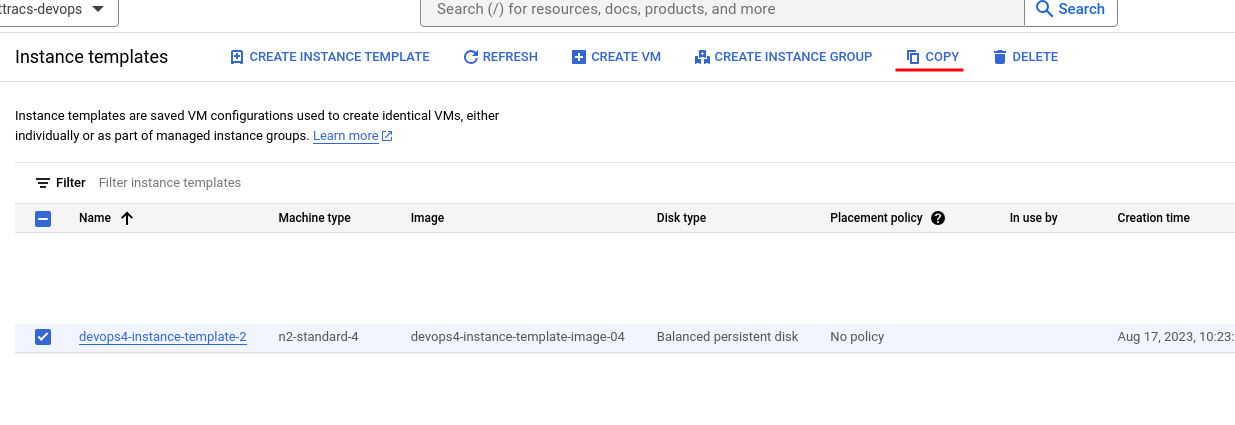 4. Make your changes to the new instance template and save
1. Remember to change the boot disk image to the one you just made or else data loss will occur!!!
5. Navigate to the instance group and open the Update VMs page
4. Make your changes to the new instance template and save
1. Remember to change the boot disk image to the one you just made or else data loss will occur!!!
5. Navigate to the instance group and open the Update VMs page
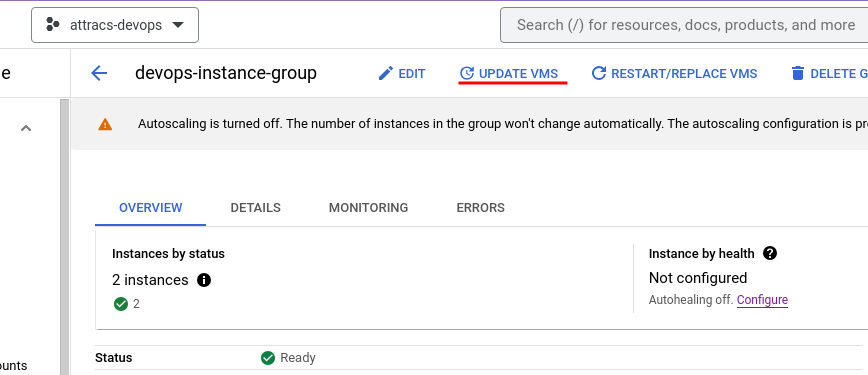
- Change the in-use devops.4 template to the one you created
- Make sure that the update configuration is selective instead of automatic
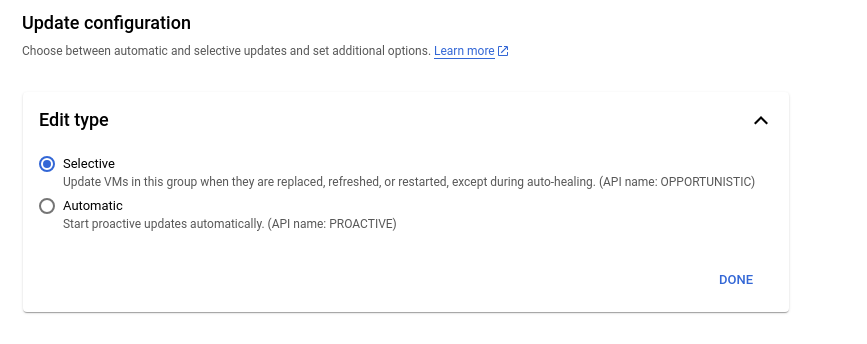
- Make sure that the update configuration is selective instead of automatic
- Restart the devops.4 instance and it should update the instance template used by the instance
Update configurations inside of the instance disk
If you need to make changes for example to application configurations, you'll probably have to change settings inside of the VM. You can either SSH to the devops.4 instance and make changes there or you can try creating a machine image from devops.4 and create a clone of the devops.4 instance. This hasn't been tested so please update this article when you have figured this out.
Troubleshooting
Add any devops.4 -specific if applicable.
Generic troubleshooting steps
GCP Managed Instance Groups (https://app.clickup.com/2496230/docs/2c5q6-69975/2c5q6-217255)