1. Ansible
Ansible script for super set is re-created specifically for the local server environment. We have removed other supersets, and we will now focus solely on working with the nightly configuration. After executing the Ansible playbook: The first thing I realized was that I needed to have an SQL database for Superset backend. I went ahead and created that using Docker. With this setup, Superset is up and running. However, logging in or performing any other actions was not possible initially because the SQL database was empty. So, I proceeded to create an admin user there. Now that we are logged in to Superset, we encountered another issue: we don't have a database for showing some data. To address this, I created a new PostgreSQL database. In our production environment, we typically use BigQuery.
The PostgreSQL database is empty at this point. Therefore, I created a Python script to populate it with random student data. After having the data in place, I went ahead and created a dashboard using that data.
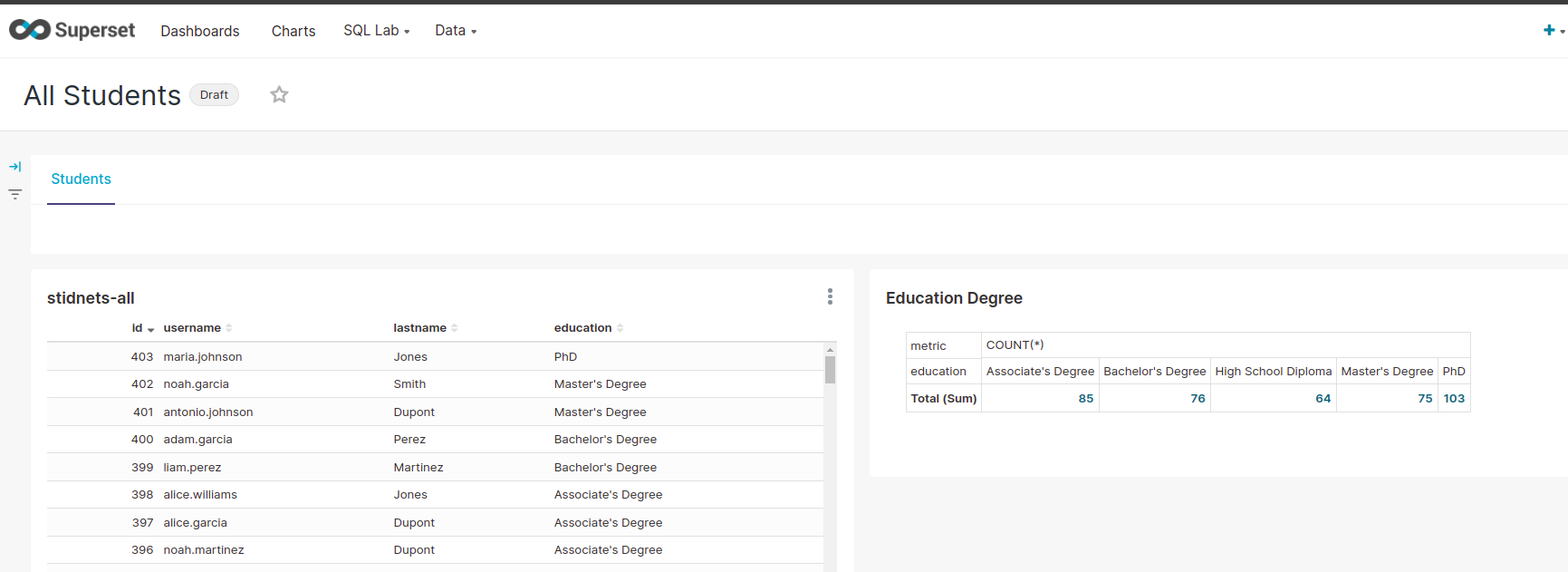 setup is ready. we are on superset 1.5.0 version
we have database for data. dataset, charts and dashboard.
setup is ready. we are on superset 1.5.0 version
we have database for data. dataset, charts and dashboard.
First we will export all dashboards. create backup on posgres db.
- Update version number to 2.0.0 ➝ ok need to be run update db ansible.
- Update version number to 2.1.3 ➝ error
- It show some errors like 'ERROR:flask_appbuilder.security.sqla.manager:DB Creation and initialization failed: (MySQLdb._exceptions.OperationalError) (2005, "Unknown serve"
- try to change the pw in ansible superset_config-nightly.py
- after change. run aggen the playbook.
- after check logs if you see access denied. go the the sql db change new password.
- update to 3.0.0