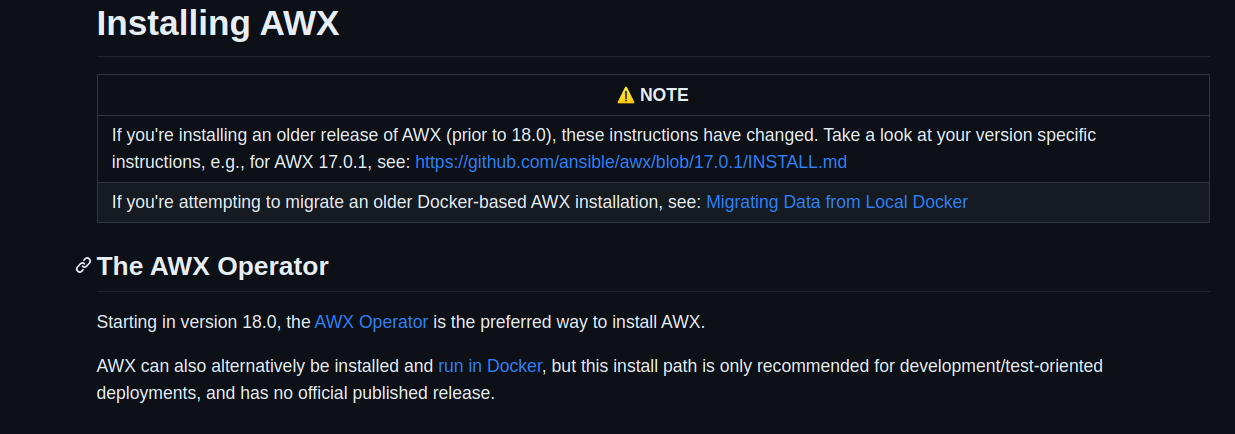
AWX (Ansible): 2. AWX Update steps:
 command we will use:
because we will make to many updates of docker images, we need to remove old images. because old images will take a space.
docker rmi -f fd484f19954f
to enter to awx_web and to enforce migrations.
docker exec -it 229bdee5efe5 /bin/bash
awx-manage makemigrations
awx-manage migrate
after downloading repo_tag with this command we are installing the awx.
ansible-playbook -i inventory install.yml
Start updating
1. start with awx 1.0.4 tag
2. update docker container to: ansible/awx_web:1.0.6.9next>>
1. here in awx docker compose was latest but because the docker is not enforce to pull the new images is still on 1.0.6.9v, so I change :latest to 1.0.6.9.
2. location of this docker file is: /var/lib/awx/docker-compose
3. We use docker compose file to update next versions,
4. 1.0.6.11
1. we need to enforce migrations.
2. enter to docker awx_web and do:
3. awx-manage makemigrations
4. awx-manage migrate
5. Continue with next versions, after every running we check the status of the awx.
6. 1.0.6.12
7. 1.0.6.23
8. 1.0.6.28
9. 1.0.6.35
10. 1.0.6.41
11. 1.0.7
12. 1.0 - (start to show 500 error dashboards, organizations, secrets, projects...)
13. 1 (same problem from 1.0v)
14. 2 (same problem 1.0v)
15. 3.0.0 - fix dashboards from v1.0 (still error 1.0v,for credentials, project, inventories, organizations)
16. 3.0.1
17. 4.0.0 (from here start problem with secret. and because of this we will make next installation from repo v4.0.0tag and after that we will import our db.)
1. wget https://github.com/ansible/awx/archive/4.0.0.zip
2. unzip 4.0.0.zip
3. cd installer
4. nano inventory (here we change our secret, db pw, admin pw)
5. ansible-playbook -i inventory install.yml
6. this will create our files in /tmp/awx and /tmp/awx-posgre
1. the old location of docker files and db was /var/lib/awx/
7. after we start the docker and run, we stop the docker in order to import the existing db.
8. go to the posgre dir,
1. chmod -R 777 posgre
9. and on this folder we replace our old db.
10. start the docker compose up.
11. we see error on start but continue to the next docker version. (LINE 1: ...f_setting"."value", "conf_setting"."user_id" FROM "conf_sett...)
18. Continue on the new location with standart updating the docker. /tmp/awxcompose
19. 5.0.0
20. 6.0.0
1. here we can see the loop: Updating AWX.
2. if we go to the docker exec
3. docker exec -it 229bdee5efe5 /bin/bash
4. awx-manage makemigrations
5. awx-manage migrate
6. we can see the error that we have db error.
21. To fix this problem for error ob_template_admin_role_id) need to make next steps on posgree db container:
1. docker exec -it 229bdee5efe5 /bin/bash
2. psql -U awx awx
3. ALTER TABLE main_organization ADD COLUMN job_template_admin_role_id integer;
4. ALTER TABLE main_organization ADD FOREIGN KEY (job_template_admin_role_id) REFERENCES main_rbac_roles(id) DEFERRABLE INITIALLY DEFERRED;
5. and exit exec and restart the docker compose.
6. after this we can see the web site is accessible.
22. Continue with update the versions in docker compose file.
23. 6.1.0
24. 7.0.0
25. 8.0.0
26. 9.0.0 after this update, we have some problems because of this, next think we do is again to download repo with 10.0.0 tag.
- installation is the same like steps:(from no:18 ).
- start again with new installation. (
only change need to make is to downgrade postgres db to old 9.6v)because the data from 9v is on postgres 9.6v and later we need to Create-migration-update.- new location of the docker files:
- ~/.awx/awxcompose ~/.awx/posgres/pgdata
- The next thing we need to do is update to:
postgres: 9.6.24update the docker file version postgres. - -next continue with awx_task and awx_web updates.
- 11.0.0
- 11.2.0
- and for the end :latest
-
Here we end with ansible/AWX_TASK and ansible/AWX_web
-
To continue with the update we start again with download and installing repo12.0.0-tag. This installation process has script for updating the postgres from 9 to 10.
- The installation process is same like previous installs from the tag.
- in normal and updated environment, everything will go smoothly.
- but on our awx-linux machine we have everything old, and when we start
ansible-playbook -i inventory install.yml. I see errors that the installation is failed.- I needed to remove\delete everything of docker, docker-compose, python(2, 2.7, 3), ansible... To delete the directory of python, to remove all no needed packages
apt autoremove. - after that to make
apt upgrade & apt update. - and to install again:
- AWX (Ansible): 2. AWX Update steps: preparation (https://app.clickup.com/2496230/docs/2c5q6-69975/2c5q6-214601)
- I needed to remove\delete everything of docker, docker-compose, python(2, 2.7, 3), ansible... To delete the directory of python, to remove all no needed packages
-
Next docker image is
ansible/awx - again use repo 12.0.0tag same steps for install.
wgethttps://github.com/ansible/awx/archive/10.0.0.zipunzipcd awx-12cd installnano inventory- change admin-pw,db-pw
ansible-playbook -i inventory install.yml
- from here everything is okay and automated.
- Maybe possible problem: when we do
ansible-playbook -i inventory install.ymland for the process for update the db. maybe will beerror no user awx owner.- To fix: on Before version of docker need to be ruining.(:latest)
docker exec -i -t awx_postgres /bin/bashpsql awx awxupdate pg_authid set rolname = 'XXX' where oid = 10;- outpus: UPDATE 1
update pg_authid set rolname = 'postgres' where oid = 16385;- output: UPDATE 1
update pg_authid set rolname = 'awx' where oid = 10;- output: UPDATE 1
ALTER DATABASE awx OWNER TO awx;REASSIGN OWNED BY postgres TO awx;ALTER USER awx WITH PASSWORD 'data base password here';- with this steps we give user:awx to have owner permissions to the awx-db
- to check if the user is updated:
\duwe will see the next output:: List of roles Role name | Attributes | Member of -----------+------------------------------------------------------------+----------- awx | Superuser, Create role, Create DB, Replication, Bypass RLS | {} postgres | Superuser
- Maybe possible problem: when we do
troubleshoot
docker logs -f awx_task
docker logs -f awx_tas
k
- ansible/awx:12.0.0
- 13.0.0
- 14.0.0
- 15.0.0
- 15.0.1
- 16.0.0
- 17.0.0
- for 17.0.0 here again we use
- -wget https://github.com/ansible/awx/archive/17.0.0.zip
- 17.0.1
- 17.1.0
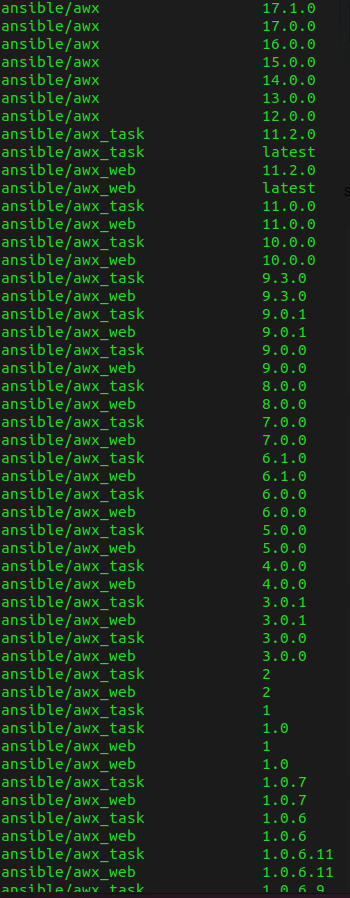
On the end I remove all older docker images.
for next >>