How to end user session and process when patching client
Sometimes we need end user sessions (RDP session or AO client session), especially on patching client:
End user session and terminate process with RDP Software:
End user session:
Login to jump-server
* open RDPSoft Remote desktop commander
* select Admin Tools ➝ Remote Desktop Session Navigator
* 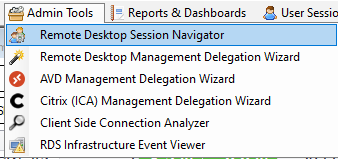 * Expand RD Reported Servers
* It will show all sessions in this deployment in "Session View tab"
*
* Expand RD Reported Servers
* It will show all sessions in this deployment in "Session View tab"
* 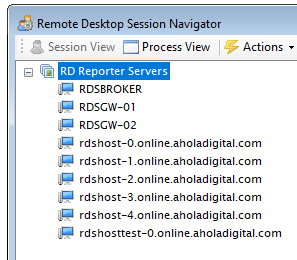 * You can choose direct server on the list or you can scroll and find user session
* Select user and right click namespace
*
* You can choose direct server on the list or you can scroll and find user session
* Select user and right click namespace
* 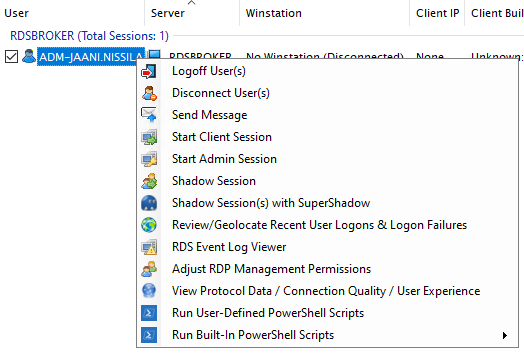 *
* Logoff user
* You can choose multiple process using shift and do actions to it
Terminate process:
* In Remote Desktop Session Navigator dash choose Process View
* 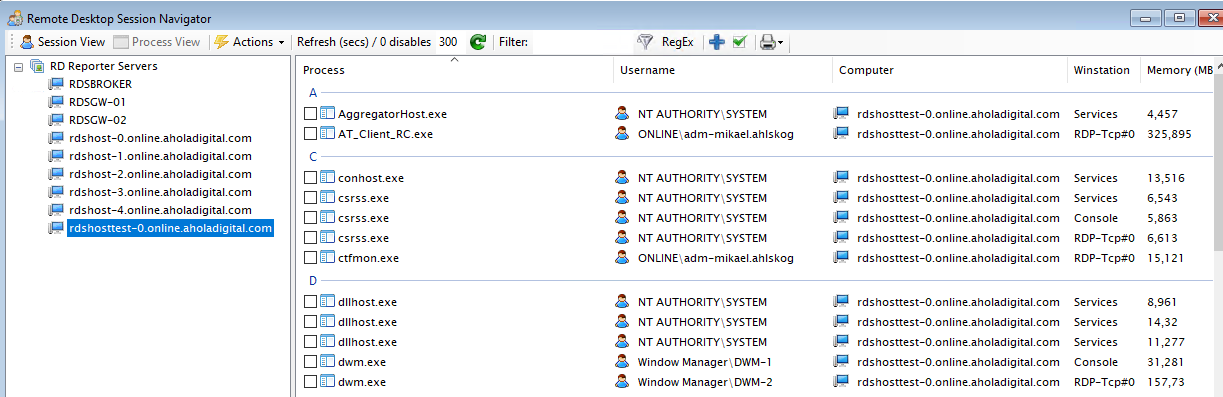 * You can find running processes on the list and end it by right click process
* You can choose multiple process using shift and do actions to it
*
* You can find running processes on the list and end it by right click process
* You can choose multiple process using shift and do actions to it
* 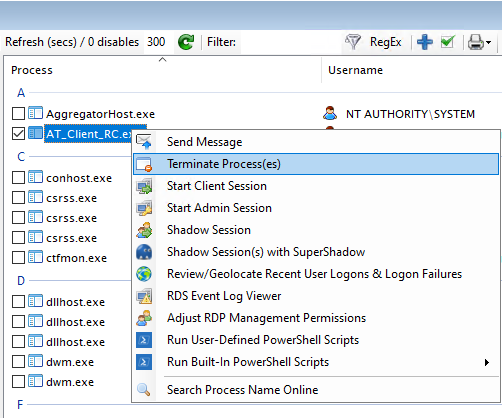 * AO Clients are named "CompanyName_Client_env" like
 AT_Client_RC.exe
It would be polite to notify users before terminating sessions. So message would be something like this:
Hello, we have client update incoming and we need to end all sessions. We will do client update at "time", save all your unsaved work before that. You can login right after your session is ended.
br. AO-team