Slack integration configs
adding slack integration.
Go to slack create web-hook.
Go to the server zabbix
find /usr/lib/zabbix/alertscripts
probably you are running zabbix on docker.
find docker image zabbix/zabbix-server-pgsql:alpine-7.0.0
cd /usr/lib/zabbix/alertscripts
sudo docker exec -u root -it ce7d689bc899 /bin/bash
create a script script_name.sh
curl -X POST -H 'Content-type: application/json' --data '{"text":"'"$1"'"}' https://hooks.slack.com/services/blaBlaBla
chmod +x script_name.sh
and test the script ./script_name.sh
if notification will be send.
after that go to zabbix alerts.
Go to Alerts ➝ Media types ➝ create media type.
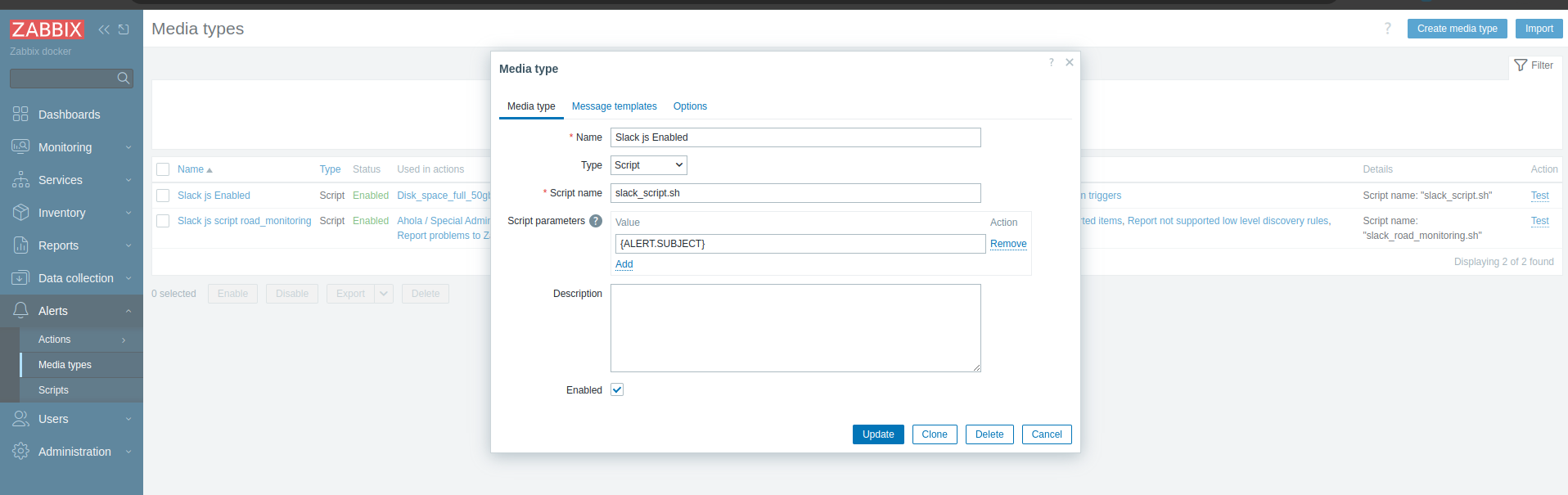 select Script, and write same name as you created the script in the server.
click test to see the notification.
if test is ok you we you continue with "Actions".
select Script, and write same name as you created the script in the server.
click test to see the notification.
if test is ok you we you continue with "Actions".
Actions ➝ trigger actions.
here we will create actions when trigger is happen.
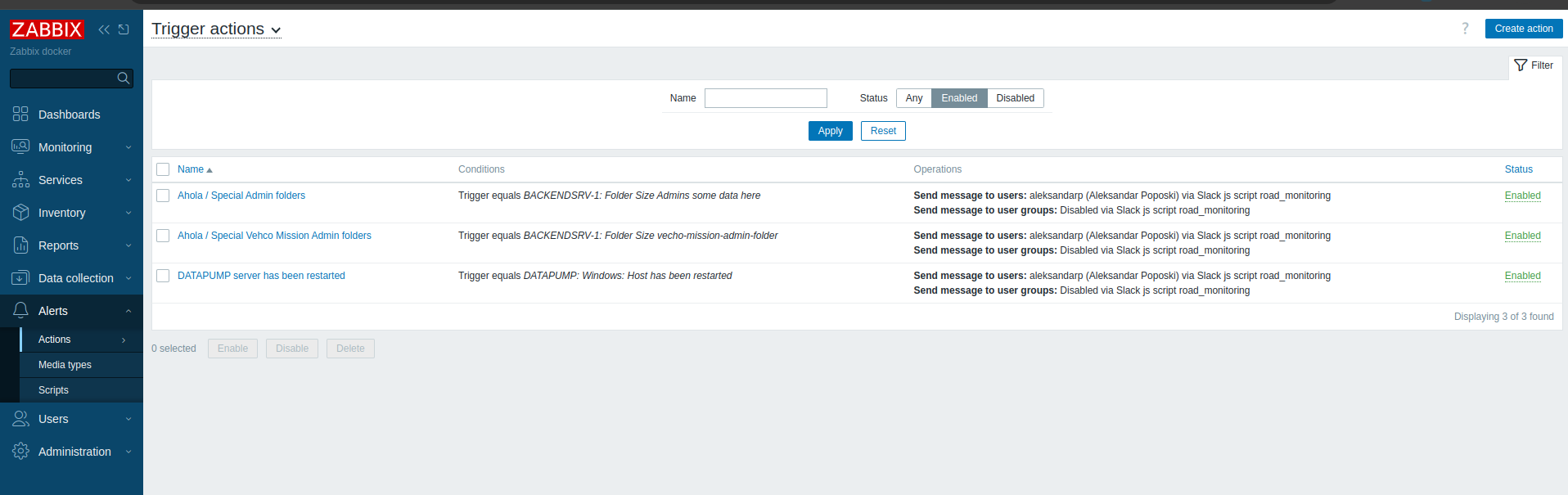
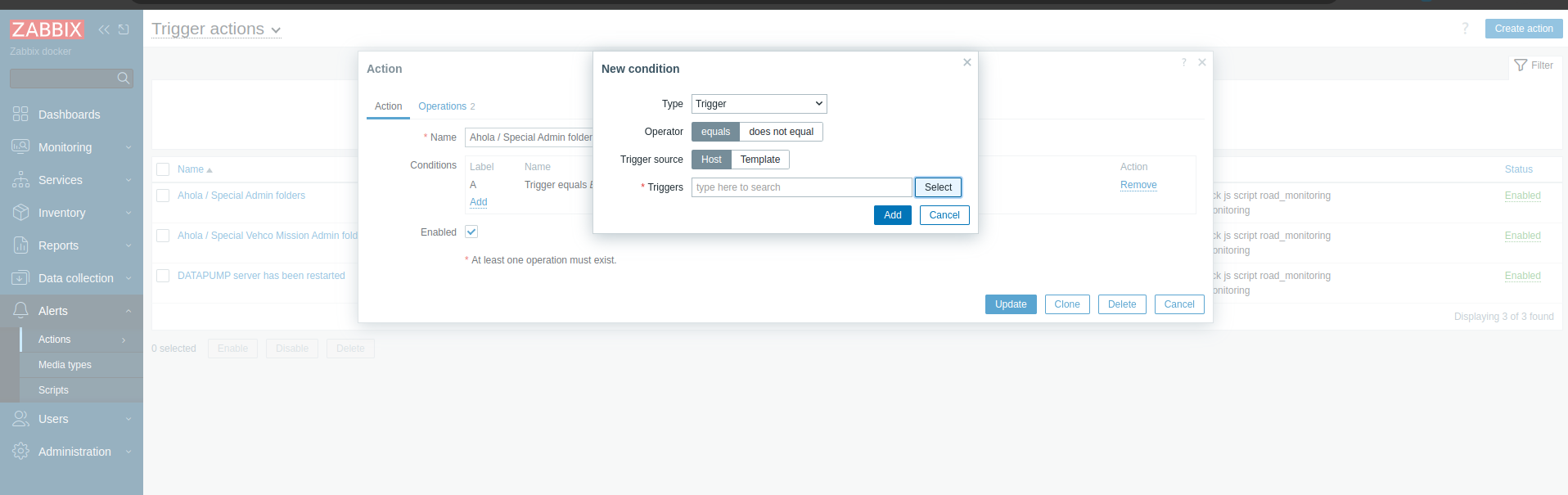
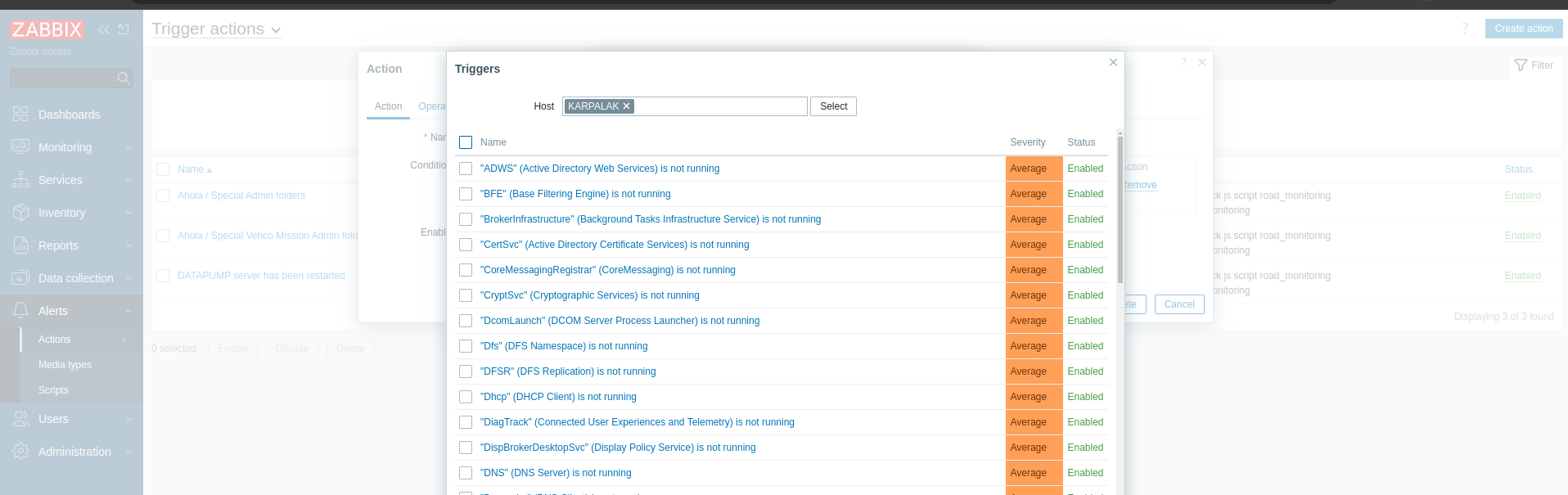 After find right trigger you will need to add what alert you will use.
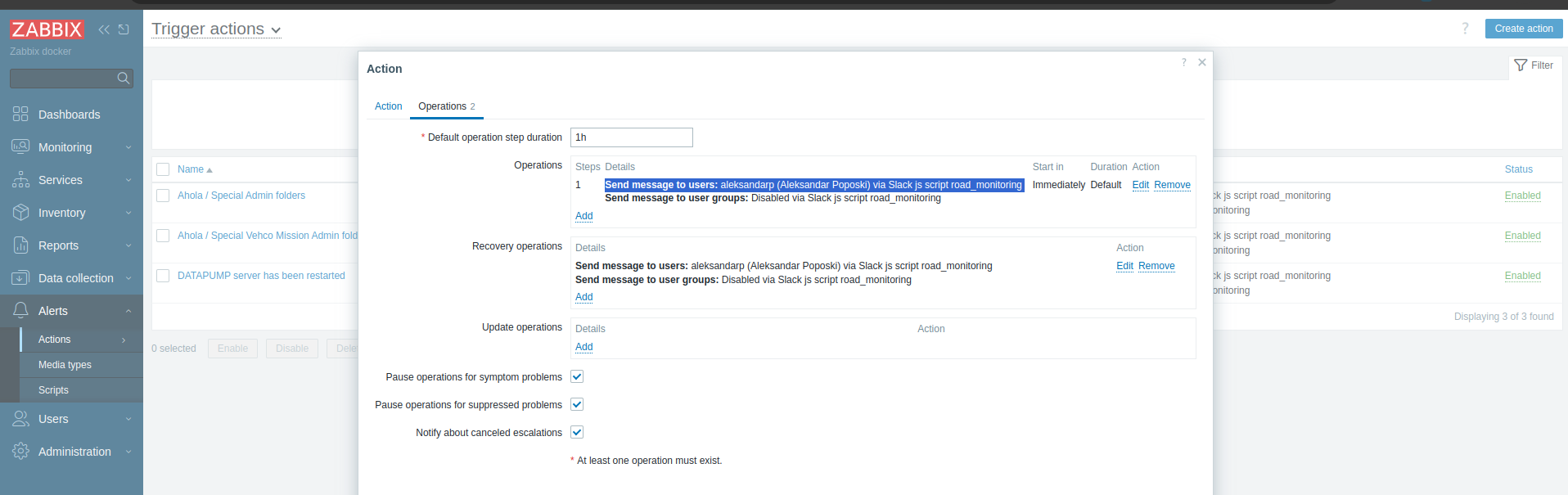
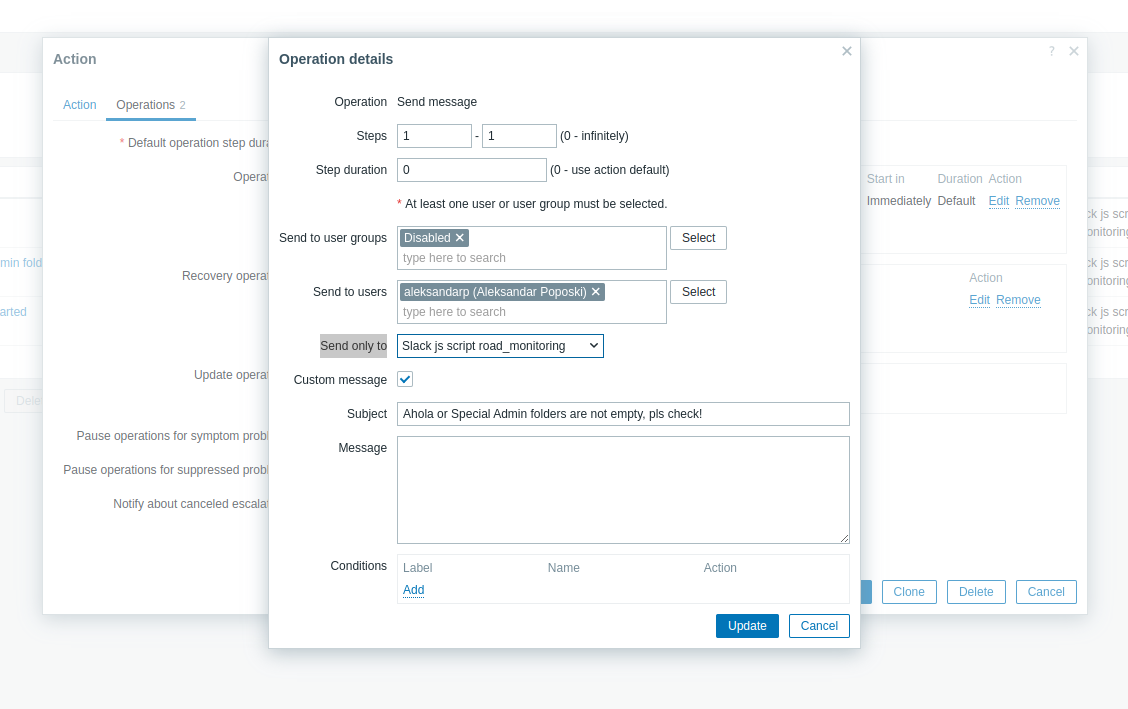 You will select right name for the script.
And in the Subject you must write what name you will use this is Header or text that will be sended on the slack channel.
You will select right name for the script.
And in the Subject you must write what name you will use this is Header or text that will be sended on the slack channel.