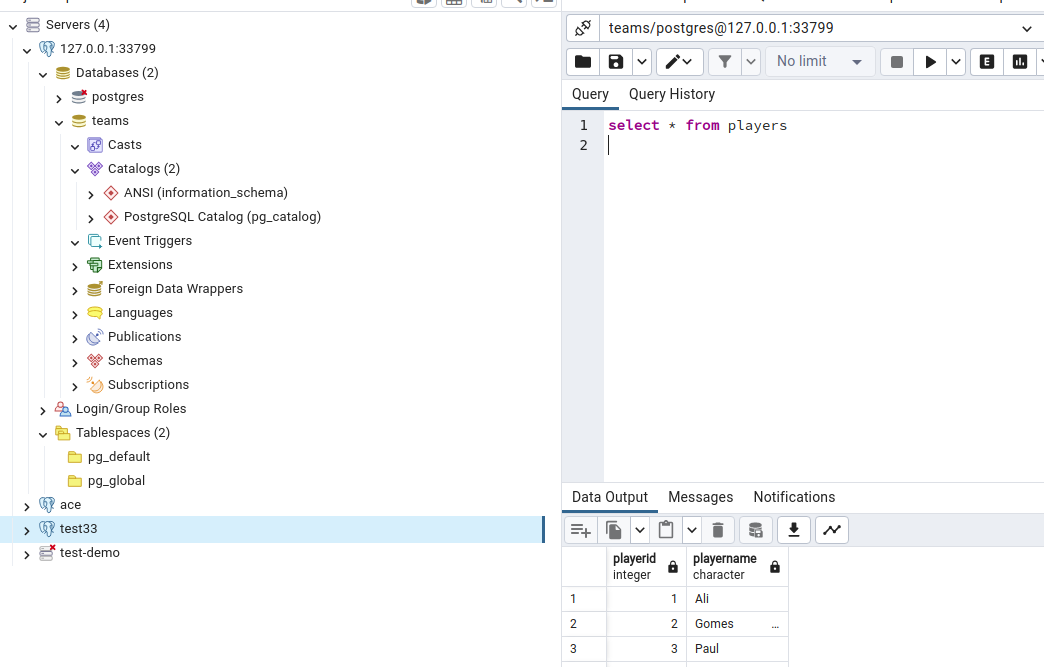
VPN: 2. Access: Databases: Postgres: pgAdmin access
So after we make setup for postgres we need to connect.
In Resources tab and click our db we will see this:
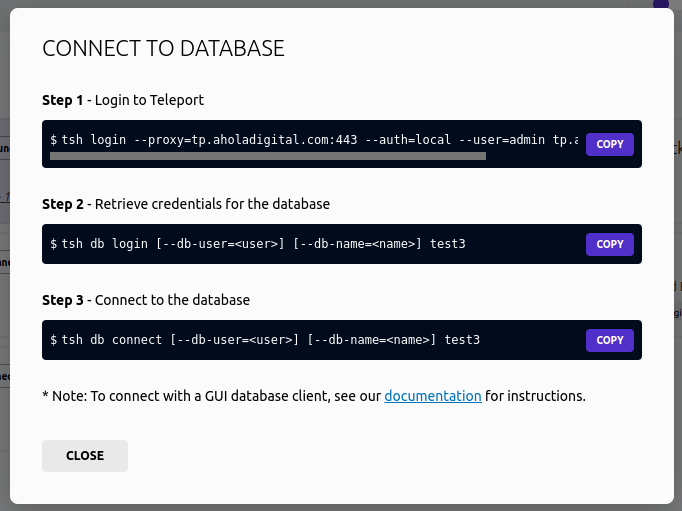 What mean this, we need first to install teleport.
tsh is command for teleport cli. VPN: 2. Access: Databases: Postgres: pgAdmin access: install tsh (https://app.clickup.com/2496230/docs/2c5q6-69975/2c5q6-223415)
after installing tsh we need to login to the teleport step 1:
What mean this, we need first to install teleport.
tsh is command for teleport cli. VPN: 2. Access: Databases: Postgres: pgAdmin access: install tsh (https://app.clickup.com/2496230/docs/2c5q6-69975/2c5q6-223415)
after installing tsh we need to login to the teleport step 1:
tsh login --proxy=tp.aholadigital.com:443 --auth=local --user=admin tp.aholadigital.com
after login we use connect Step 2.
and after db login we can connect.
we can connect using tsh db connect or using pgadmin.
for pgadmin we use tsh proxy db teams --flag portnumber we like to add.
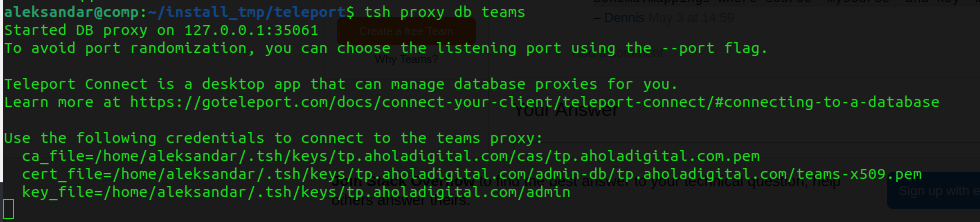 with this command we create connection with database on the remote host.
In pgAdmin we register new server, for Connection we select localhost and in Parameters we select Client Certificate and key:
 click connect. if db ask for pw we type the db password.