app give access to login.
For Superset
User first time login to superset he can use google sso
To start with this process: 1. user need to try to login to superset-$org. 1. Superset will show error: "Error authorizing OAuth access token: invalid_request: client requires organization membership, but user does not belong to any organization" 2. We as admin will go to auth0 1. now in Usermanagement we can see his email. 2. To give him permissions to login to auth0 we will need to go to: 3. Organisations 1. open the organisations. 2. in Members we will add him there. 4. Next we will go to Actions: 1. Triggers and select "post-login" 2. Open action: AllowList for a Specific App-Login" 3. there we have const client_id and allowed_user_emails. 1. const we need to add his email address. after edit click Deploy. 2. this actions will allow to login and pass sec check. 3. but we are not finish. 3. Next in superset-$org 1. Go to users-list 1. here we can see all users who have access to that superset. 2. if that user who like to login is not there we need to add his email address and rule. 1. this change is because Auth0 remove Roles. 2. on old login sustem we have .py program who has a logic to check user email if exist in auth0, to get his roles, if he has acces to some superset-org-rule-admin, and if in superset is not that user to create user with that email addres and to give him rule base form auth0. 4. User can try to login in that superset-$org.
Instructions photos:
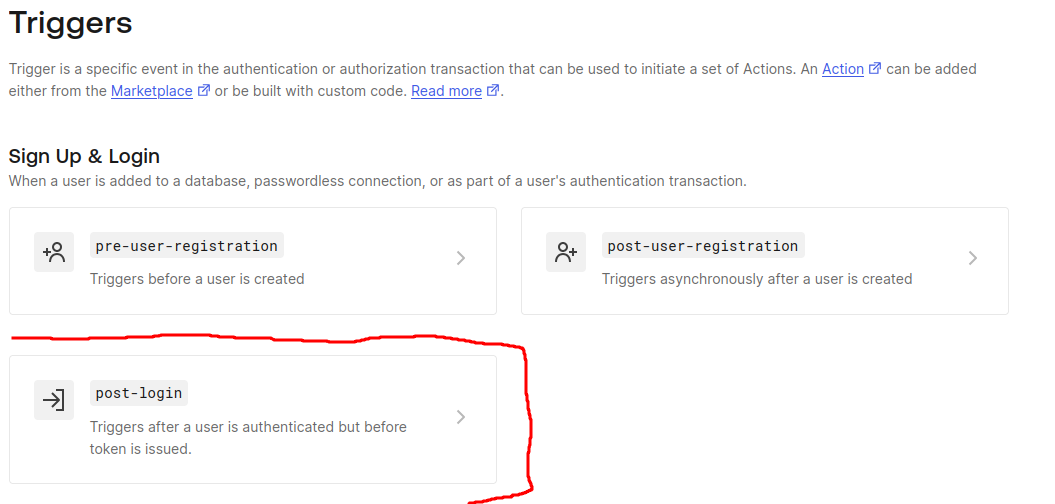 Auth0 Triggers
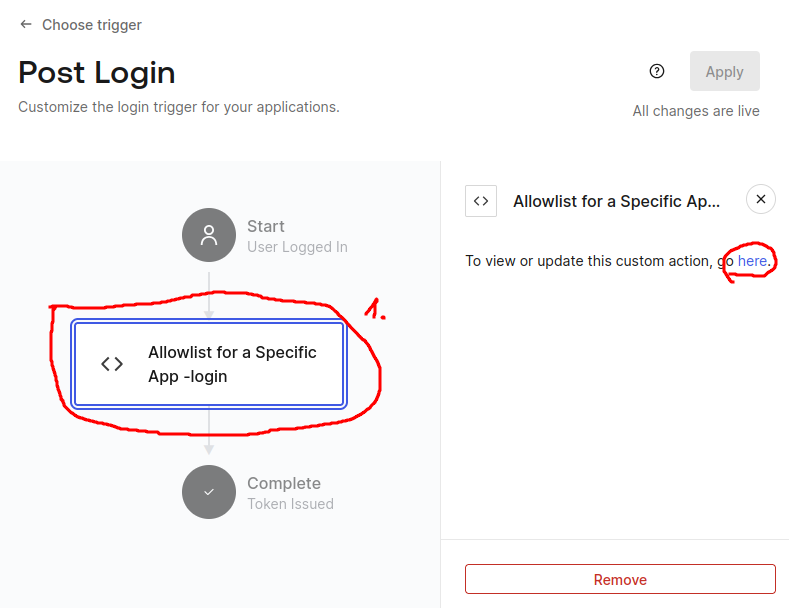 Action Edit
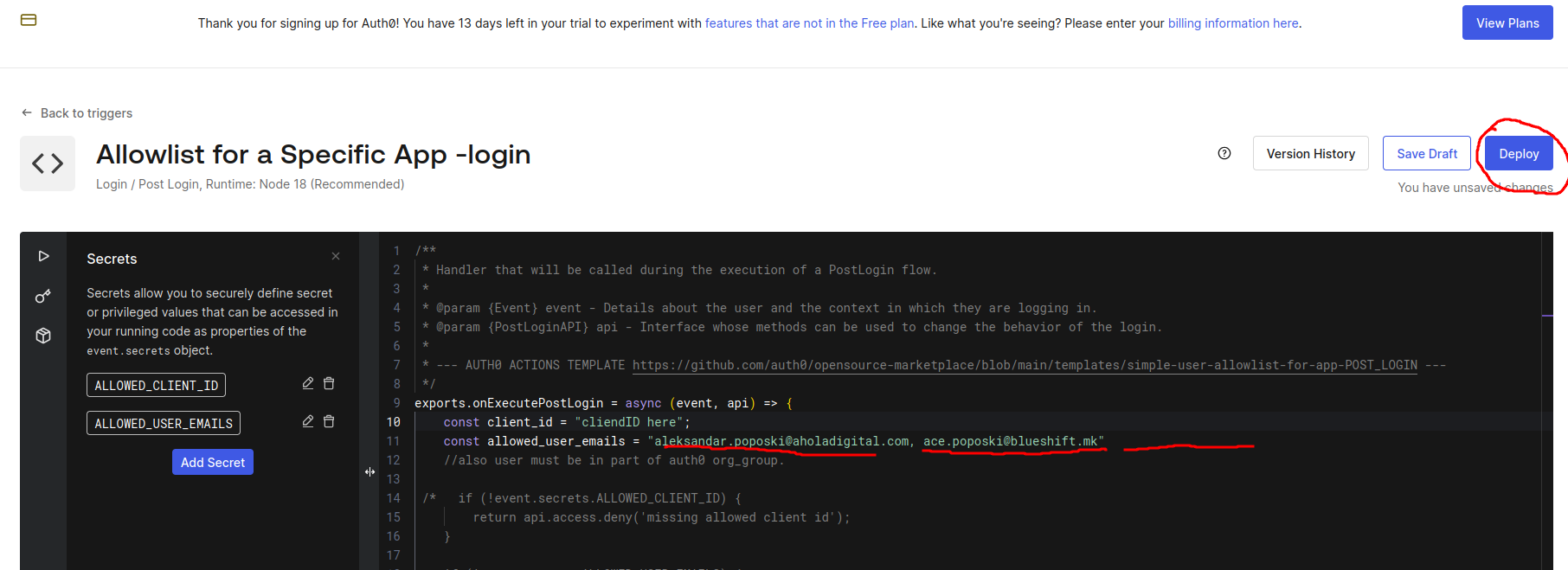 Editing Action to allow new user email with comma separate. and click deploy.
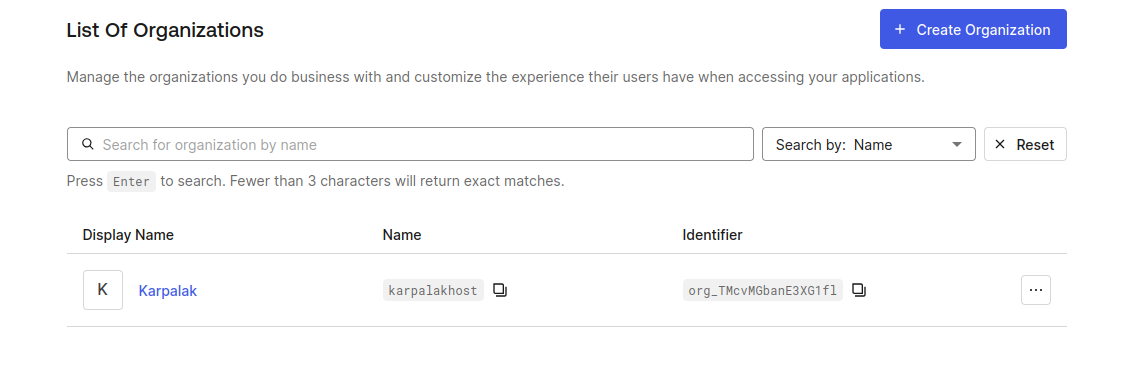 Auth0 organisation
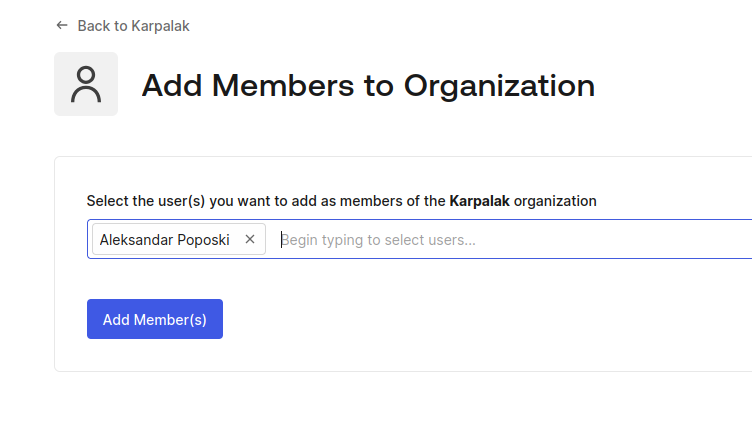 auth0 add member to organisation. for this user must to try 1 time to login in order we can add him to this org.
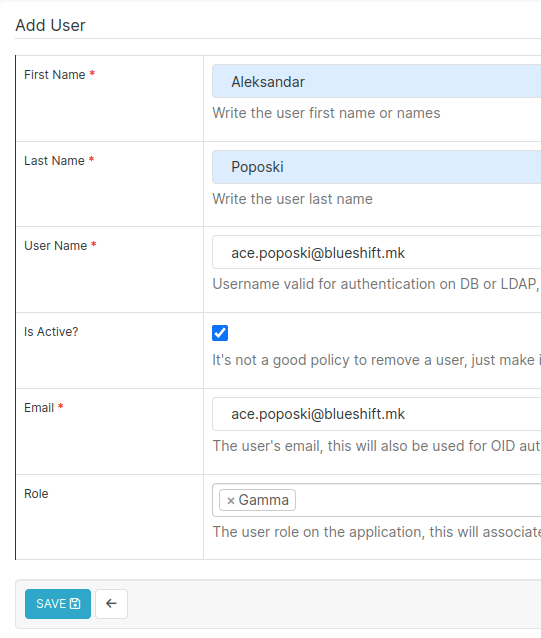 superset user list.