PTV xServer: Testing Process
Testing xServer1onPremise for a Linux environment.
Name: xlocate-server-lnx-x64-gcc4-1.38.0.1.tgz Valid until: 15.06.2023 Download: https://ptv-nl-logistics-download.ptvgroup.com/download/7875334991685525435/xlocate-server-lnx-x64-gcc4-1.38.0.1.tgz Name: xmap-server-lnx-x64-gcc4-1.38.0.1.tgz Valid until: 15.06.2023 Download: https://ptv-nl-logistics-download.ptvgroup.com/download/6693277331685525435/xmap-server-lnx-x64-gcc4-1.38.0.1.tgz Name: xroute-server-lnx-x64-gcc4-1.38.0.1.tgz Valid until: 15.06.2023 Download: https://ptv-nl-logistics-download.ptvgroup.com/download/14328633201685525435/xroute-server-lnx-x64-gcc4-1.38.0.1.tgz Name: xtour-server-lnx-x64-gcc4-1.38.0.1.tgz Valid until: 15.06.2023 Download: https://ptv-nl-logistics-download.ptvgroup.com/download/5131650861685525435/xtour-server-lnx-x64-gcc4-1.38.0.1.tgz
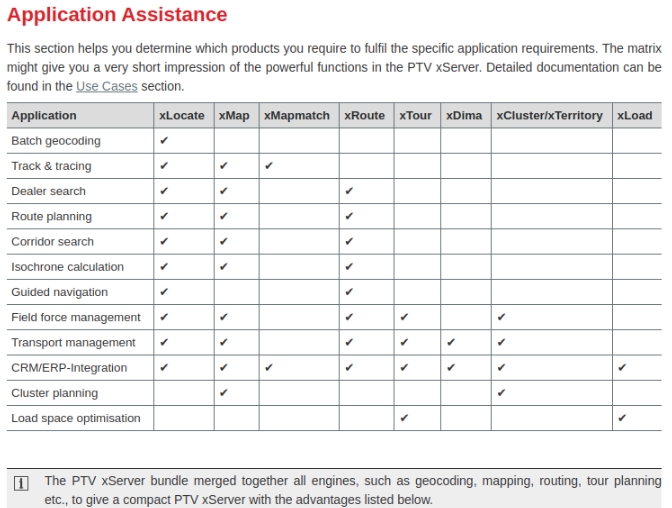 in windows env we have: xDima, xRoute, xRoute-TIP, xTour.
link_doc
After extracting for start we need to have
in windows env we have: xDima, xRoute, xRoute-TIP, xTour.
link_doc
After extracting for start we need to have Java SDK8 the newer versions of Java is not supported.
After downloading server files
to check java bin
readlink -f $(which java) | sed "s:bin/java::"
we need to match with our correct java version dir
Replace /path/to/java with the actual path to your Java installation directory obtained.
by default we can find here /usr/lib/jvm/java1234
/usr/lib/jvm/jdk-19
export JAVA_HOME=/path/to/javacd
like export JAVA_HOME=/usr/lib/jvm/adoptopenjdk-8-hotspot-amd64
export JAVA_HOME=/usr/lib/jvm/java-1.17.0-openjdk-amd64
for update source.
source ~/.bashrc
test the path
echo $JAVA_HOME
or in wrapper.conf to add path.
./xlocate.sh console we start the server with console output or we can do ./xlocate.sh start
next thing we need is to have licence. The doc say we can use same licence from Windows licence. But If we use the same licence from Windows in the same time, prod and testing linux, is okay by the terms of use? or we need approve or some demo license for our test env. -support from ptv say nothing against this, so we can use same license.
if we start the server without license:
INFO | ... initializing server environment ...
INFO | licensing error: license file not found at /home/aleksandar/Documents/main/xServer/xlocate-server- lnx-x64-gcc4-1.38.0.1/xlocate-x64-1.38.0.1/license.ptv (-6)
INFO | shutdown requested with exit code 99...
INFO | System.exit(99)
also in the license file there are hostList ip's. if we starting on different machine and if host ip don't exist the server will no start:
INFO | ... initializing server environment ...
INFO | licensing error: invalid host (-101)
INFO | shutdown requested with exit code 99.
but in the license list there are parameter no-net, so we can use this, if we disable network on the machine, we can start the server.
license.ptv file is encrypted. we cannot edit.
email from PTV support:
support.nordics@ptvgroup.com
I think you should be able to use the existing license.ptv in your new environment, it will show once you start the different PTV:s xServer1 services/scripts if it will work or not.
-I tested our license is working on disabled network.
-but on active local network show "invalid host (-101)"
-this is from our license show on configuration panel for the license:
# the hostlist determines on which IP addresses the xServer will work.
# in the case of multiple IP, input them all, separated by a comma
# NOTE: always end with no-net
hostList=172.31.0.86,192.168.1.100,192.168.31.194,172.31.1.53,172.31.0.104,no-net
partner.key=
-This is local ip address so for testing we can set up one of this ips and server environment will start, no need of internet.
-I need to check how we can change this IP's. if we have to change. or we will need to contact PTVgroup, or to use some license manager.
for ubuntu:
There are no tips regarding the migration process really.
I would imagine it is to recreate the same structure as on your Windows server, same catalogue structure and map at the same location as on Windows.
-Yes this is good for start.
-copy from windows server and make diff with default linux files.
Also, find and check and compare and configure settings in the different modules of xServer1:
\xlocate.properties
\xmap.properties
\xroute.properties
\xtour.properties
Here is the information available regarding Installation and Configuration for xServer1 on a Linux environment:
https://svc-eu-n.cloud.ptvgroup.com/manual/Default.htm#search-linux
on windows site:
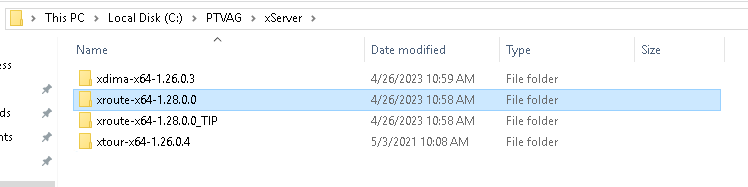 _TestingInPprogress means testing server.
this versions are old... 1.38v is new. this maybe will be some of problem or not I will check when receive and make kdiff with linux_default server siles and this from windows.
kdiff between linux new files, and current windows server files
new update xserver.properties in new version.

in the folder catalina.properties dif: there are some modification and improvement in the code.
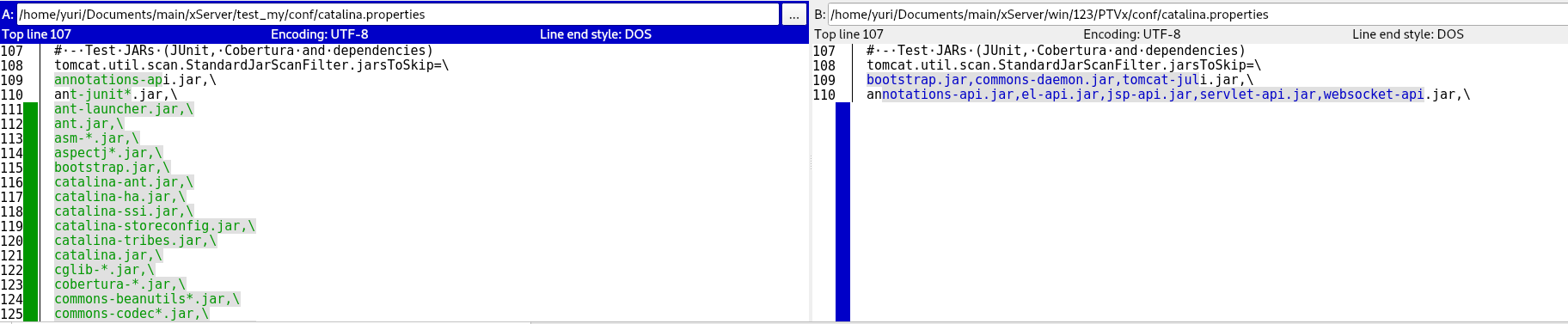
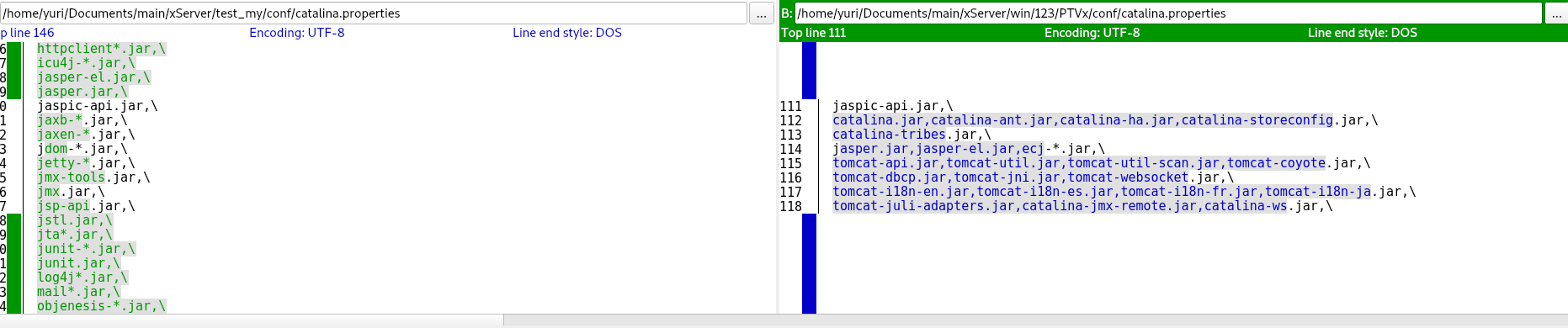
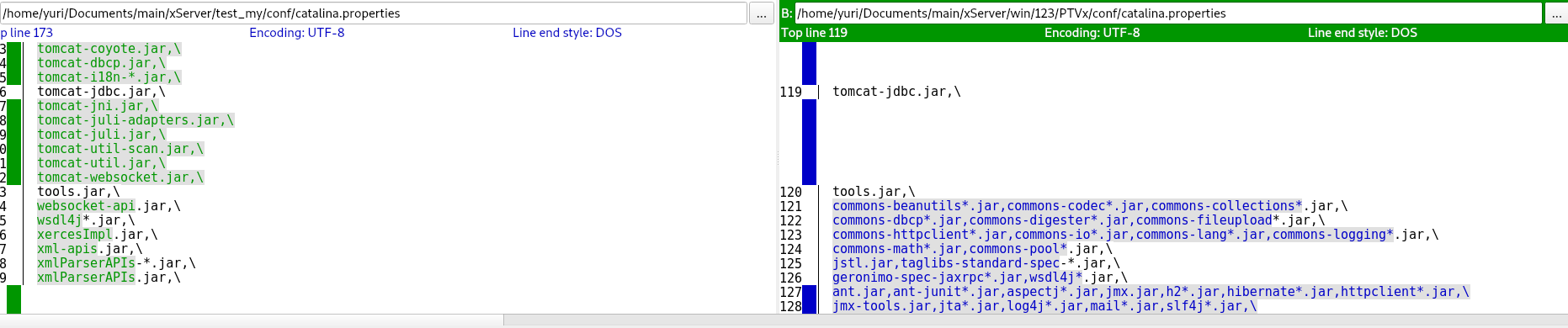 and for the conclusion there is the same line of code but little beautify or sorted.
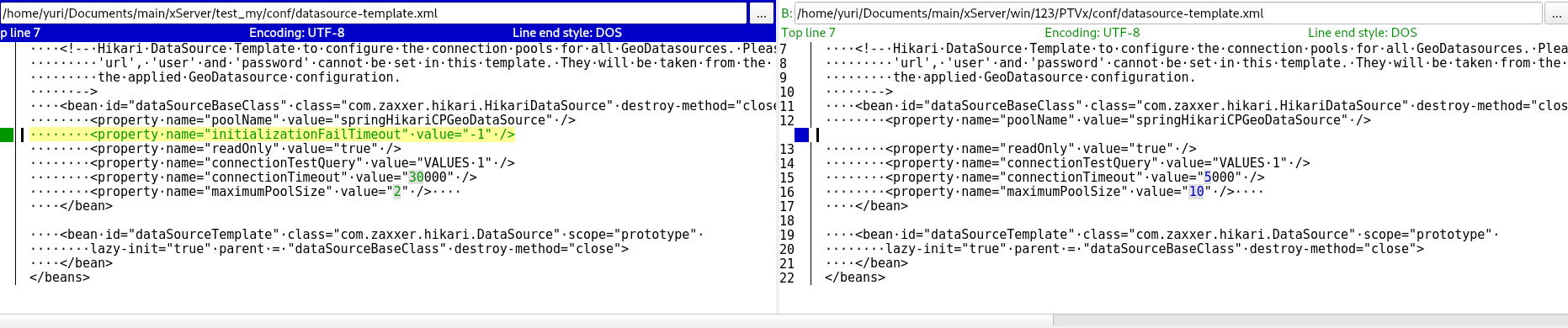 in datasource-template.xml
here in our win file there some custom time limitation.
in datasource-template.xml
here in our win file there some custom time limitation.
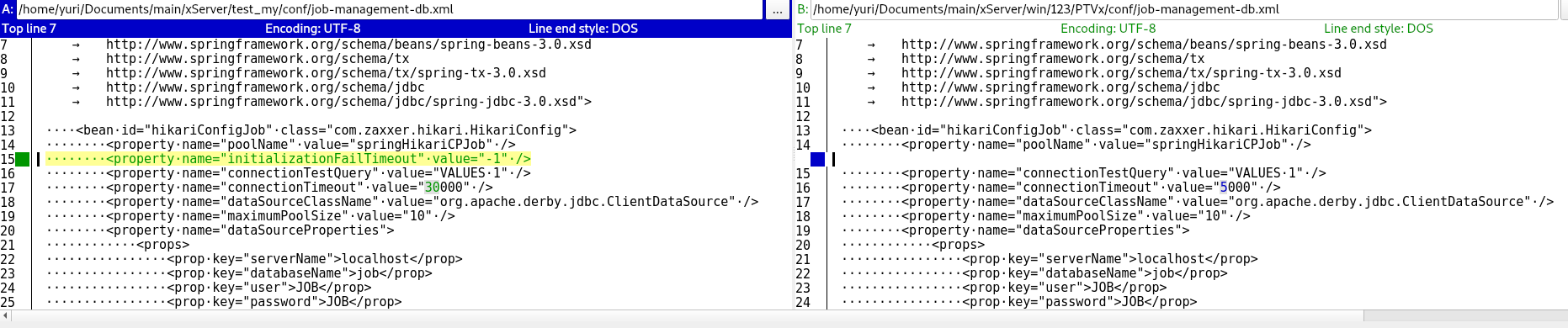 also in job-managment-db.xml
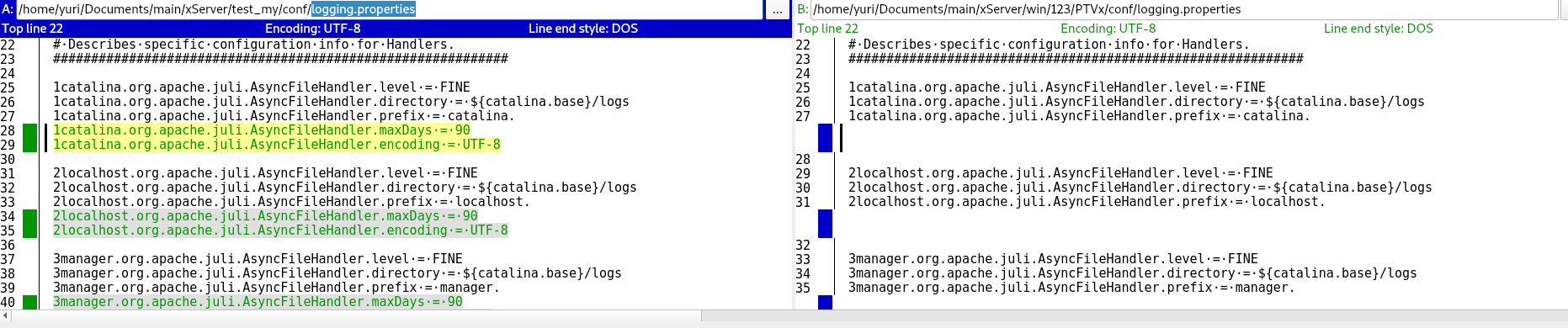 in logging.properties there some improvements.
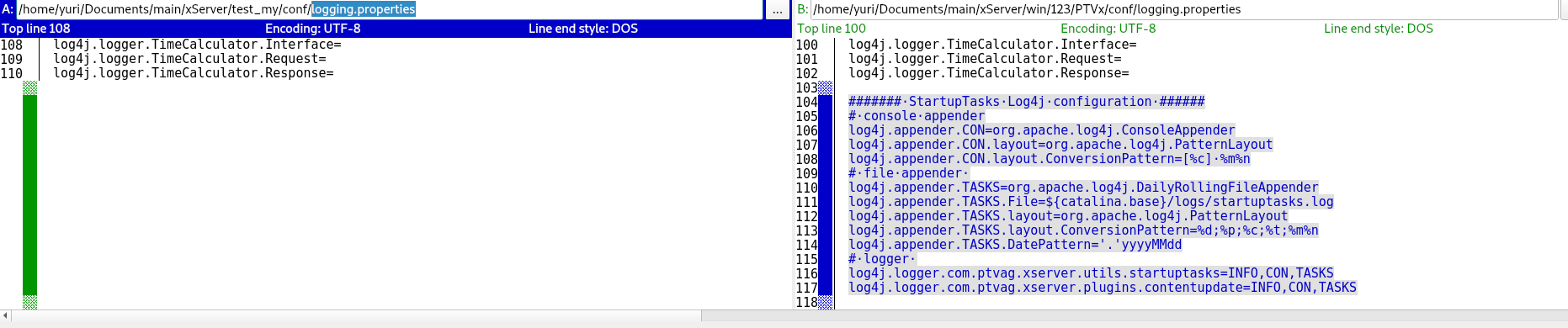 on the bottom of logging.properties
this we need to check: module-logging.properties
native-timecalc.xml are text equal, but not in binary.
this server-logging.properties we need to check.
for the wrapper.conf need to be changed default JAVA dirs.
on xroute.properties need to add our PTV Europe City Map 2019.2H or to find newer map.
/usr/lib/jvm/adoptopenjdk-8-hotspot-amd64
Doc about windows xserver some configs, maps. Project defines in Attracs projects (https://app.clickup.com/2496230/docs/2c5q6-30681/2c5q6-196381)
Final test
xRoute with xMap
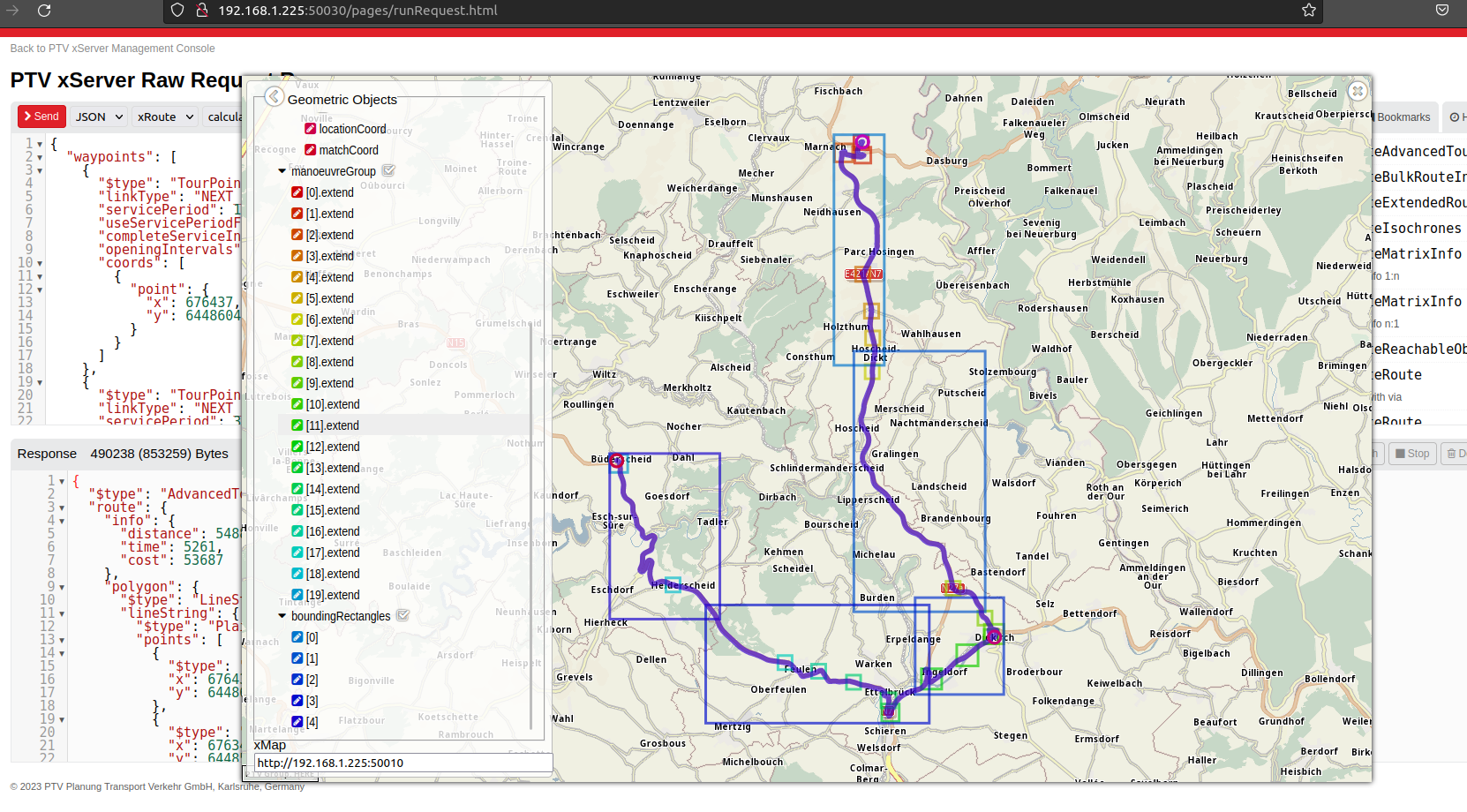
PTV xServer Raw Request Runner with "calculateAdvancedTour"