Create AO RestServer and Load Balancer
Create new RestServer:
-
- New .exe and .ini
1. Add Port AO Port Definitions (https://app.clickup.com/2496230/docs/2c5q6-69975/2c5q6-242895)
-
- Add port to Windows FW
- Add new server to start up scripts
control_processes.ps1bckendsrvtst-0.json
Add new RestServer port to Instance Group as a named port
-
- Compute Engine → Instance Groups
1. backendsrv-ig → edit → add port to port mapping
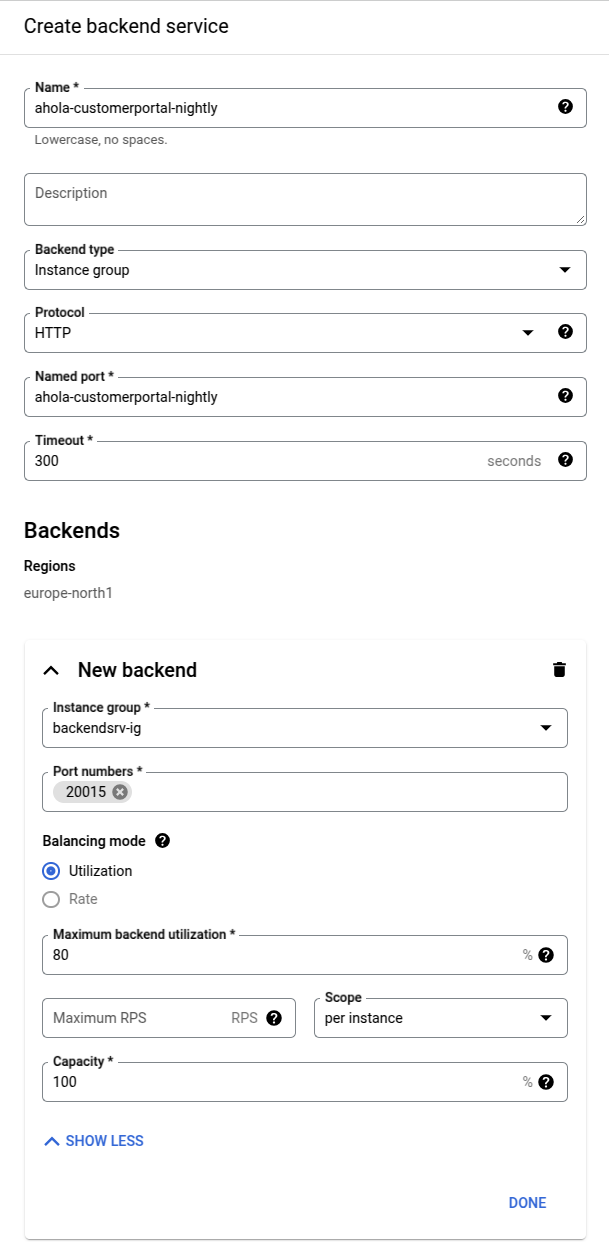
Create Load Balancer Backend
-
- Backend Configuration → open drop down menu and
create a backend service
- Add backend with Instance Group named port
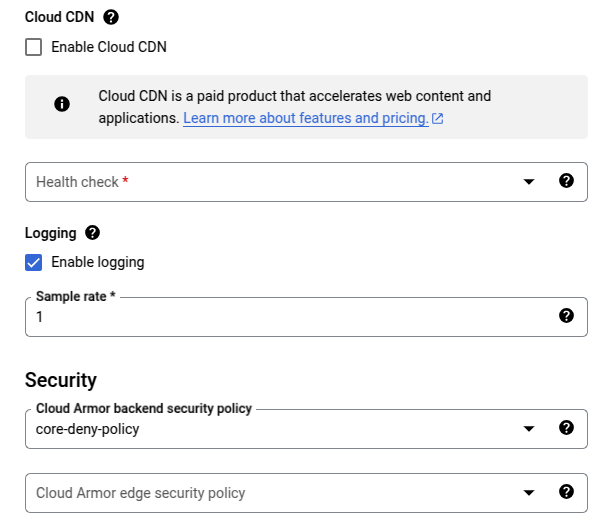
- Disable Cloud CDN (Checkbox)
- Enable Logging
- Use
core-deny-policy
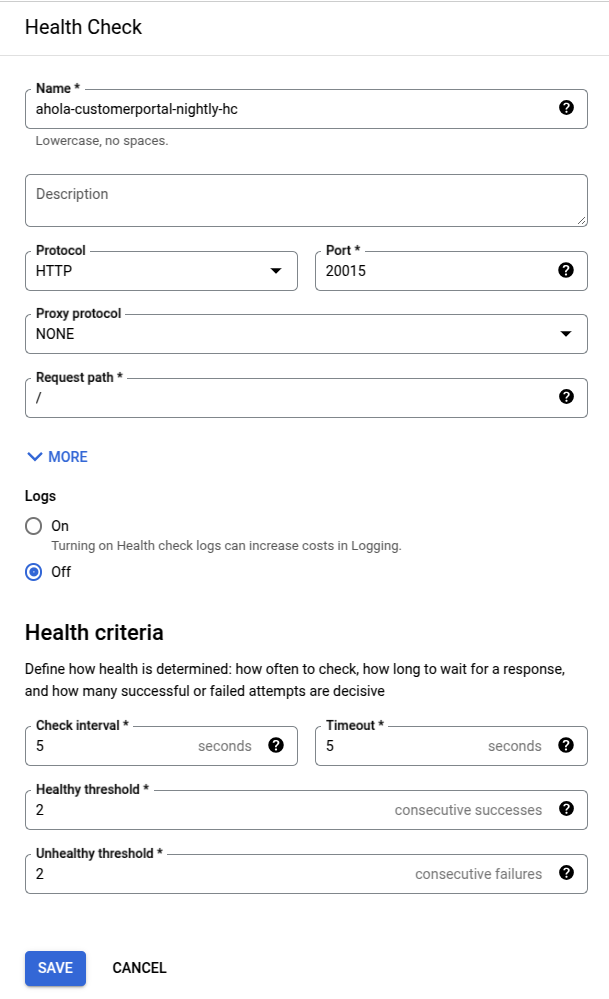
Create Health Check
-
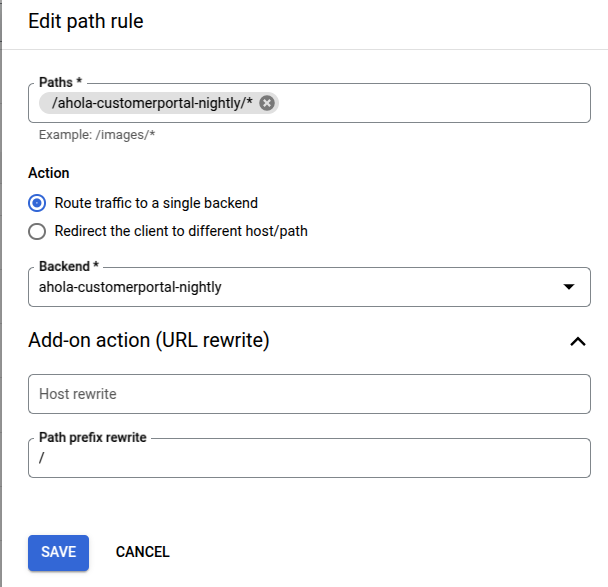
Add Path Rule
-
- Host and path rules →
lb-road-nightly.aholadigital.com → add path rule
* 
Add Port to Firewall
-
- Adi-Networks -project →
stable-core-fw-allow-hc
1. add new port to the rule