VPN: 2. Access: Machine: Ubuntu
Adding new machine is very simple, in the Management panel ➝ Enroll New Resource.
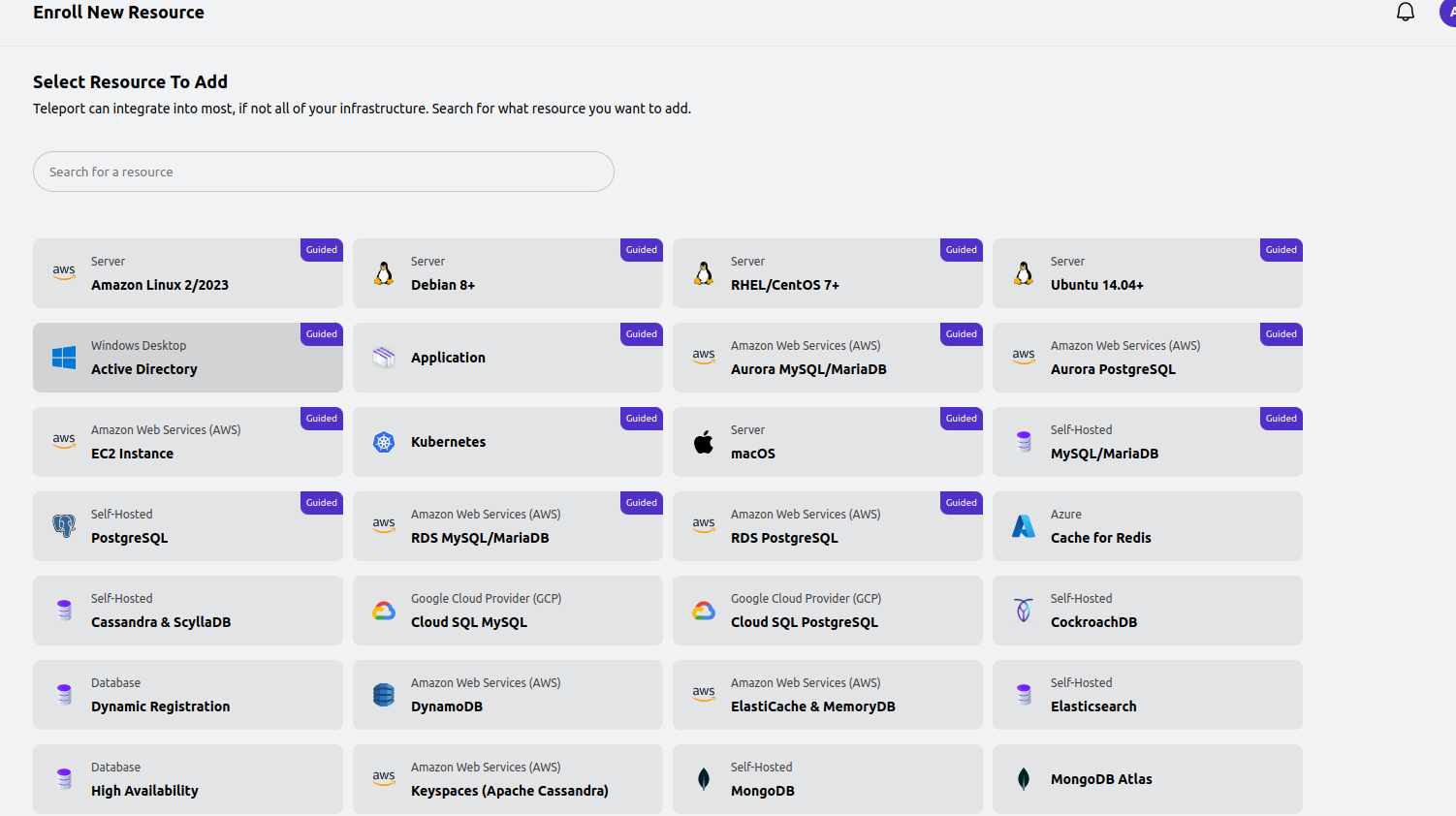
we select what type we like and we have Guided box.
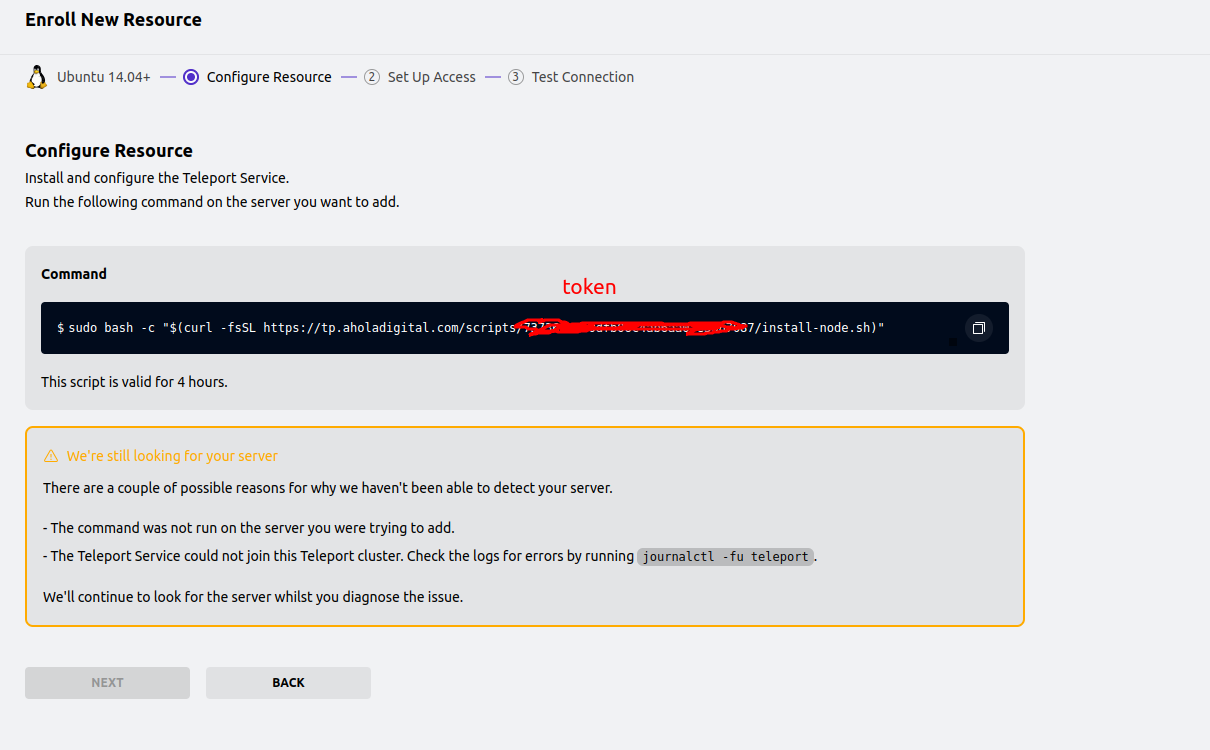 we use command on the host we like to add as machine in tp. after this host will be in our resources.
this script is installing teleport and add token for machine.
we use command on the host we like to add as machine in tp. after this host will be in our resources.
this script is installing teleport and add token for machine.
After successful connect using teleport ssh tsh you will need to create a custom ssh firewall rules for that server. we don't like to lose access.
after this you can still login to the host using tsh or web shell.
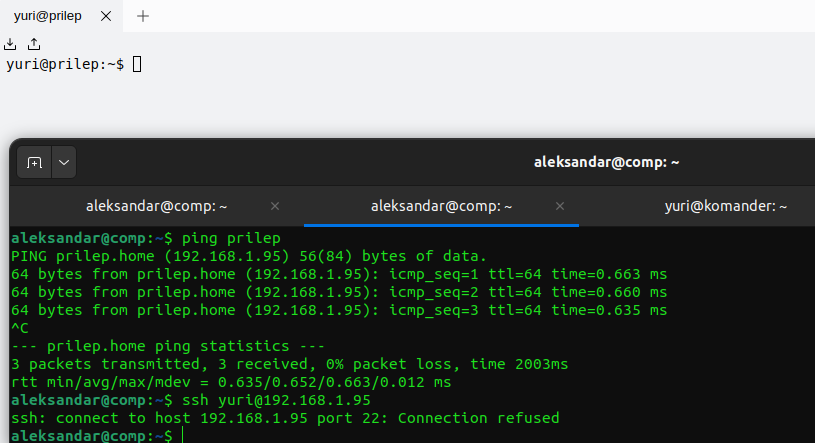
first you need to login:
tsh login --proxy=tp.aholadigital.com:443 --auth=local --user=Teleport_username tp.aholadigital.com
tsh ls
to see available servers.
login using terminal.
