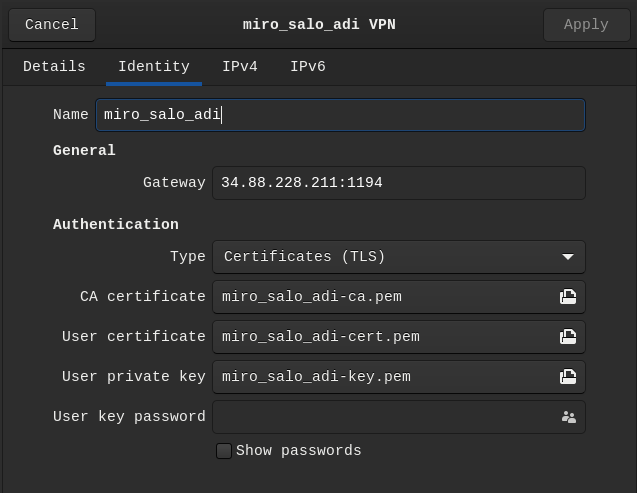
Create a Devops VPN identity / certificate
Devops VPN is in GCP project attracs-devops
Instructions (by Samsa)
1. Open the GCP project web page attracs-devops
2. Make sure that both of these VM's are running in GCP:
1. devops-vpn and
2. devops-ca
3. If they are not, start them.
4. Open up terminal and authenticate yourself to GCP:
1. gcloud auth application-default login
5. SSH to devops-vpn and change your user to the "ovpn" user.
1. gcloud compute ssh devops-vpn --project attracs-devops --zone europe-north1-a --tunnel-through-iap
6. go to easy-rsa directory and run command ./easyrsa gen-req firstname_lastaname_adi nopass
7. cp pki/private/firstname_lastaname_adi.key ~/client-configs/keys/
8. rsync -v pki/reqs/firstname_lastaname_adi.req ca@ca:~
9. Log in to ca server ssh ca@192.168.1.3/ -i .ssh/ovpn_id_ed25519
10. generate .crt files there (see history)
1. Todo: Write this out
11. back to devops-vpn machine and in client-config folder run command ./make_config.sh firstname_lastaname_adi
12. copy .ovpn file to local machine and import it to vpn client
Followed this guide to create the VPN identitites:
https://www.digitalocean.com/community/tutorials/how-to-set-up-and-configure-an-openvpn-server-on-ubuntu-20-04
Here's some extra details regarding the instances attached:
devops-openvpn & devops-ca machine details (https://app.clickup.com/2496230/docs/2c5q6-69975/2c5q6-207681)
You can look at the command history to get a little bit more help
For now, here's this image to at least give you a little something: