GCP CloudSQL Database Recovery
Introduction
Cloud SQL Cloning for Disaster Recovery
Cloning a Cloud SQL instance creates a brand new instance using an existing source. In the context of disaster recovery, this is often used to:
- Restore from a Backup (Point-in-Time Recovery): The most common DR use case. You essentially create a new instance from an automated backup or a specific point in time (PITR). This allows you to quickly recover from a severe incident, such as data corruption or accidental deletion.
- Mechanism: When you clone from a backup, Cloud SQL provisions a new instance and applies the selected backup, including the relevant transaction logs, to restore the database to its pre-disaster state.
- This is the primary method for demonstrating an effective restore process and validating your Recovery Time Objective (RTO) and Recovery Point Objective (RPO).
- Create a Replica (Cross-Region DR): While not a "clone" in the strictest sense of restoring a primary instance, setting up a cross-region read replica is a core DR strategy. If the primary region fails, you can promote the replica to become the new primary instance.
- Mechanism: The replica instance is an exact copy of the primary and is continuously updated via database replication.
References
Postrges https://cloud.google.com/sql/docs/postgres/backup-recovery/pitr
MSSQL https://cloud.google.com/sql/docs/sqlserver/backup-recovery/pitr
Disaster recovery
Step-by-step Guide
Create clone of CloudSQL instance:

→ It will create new instance.
* Select Clone from earlier point in time, choose all databases or one existing database
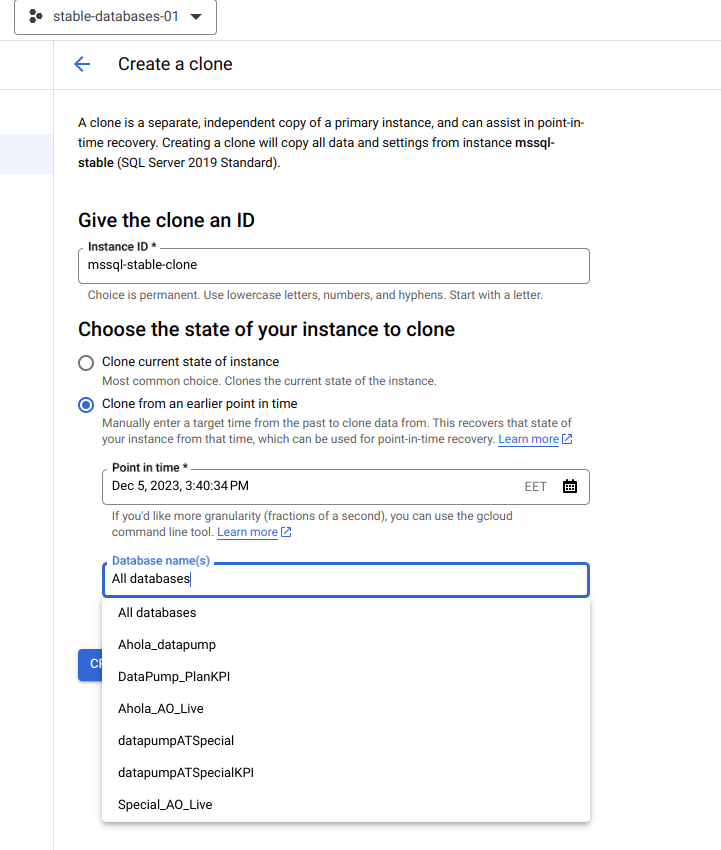
Clone of instance is done.
- Go to cloned instance and export wanted database to bucket.
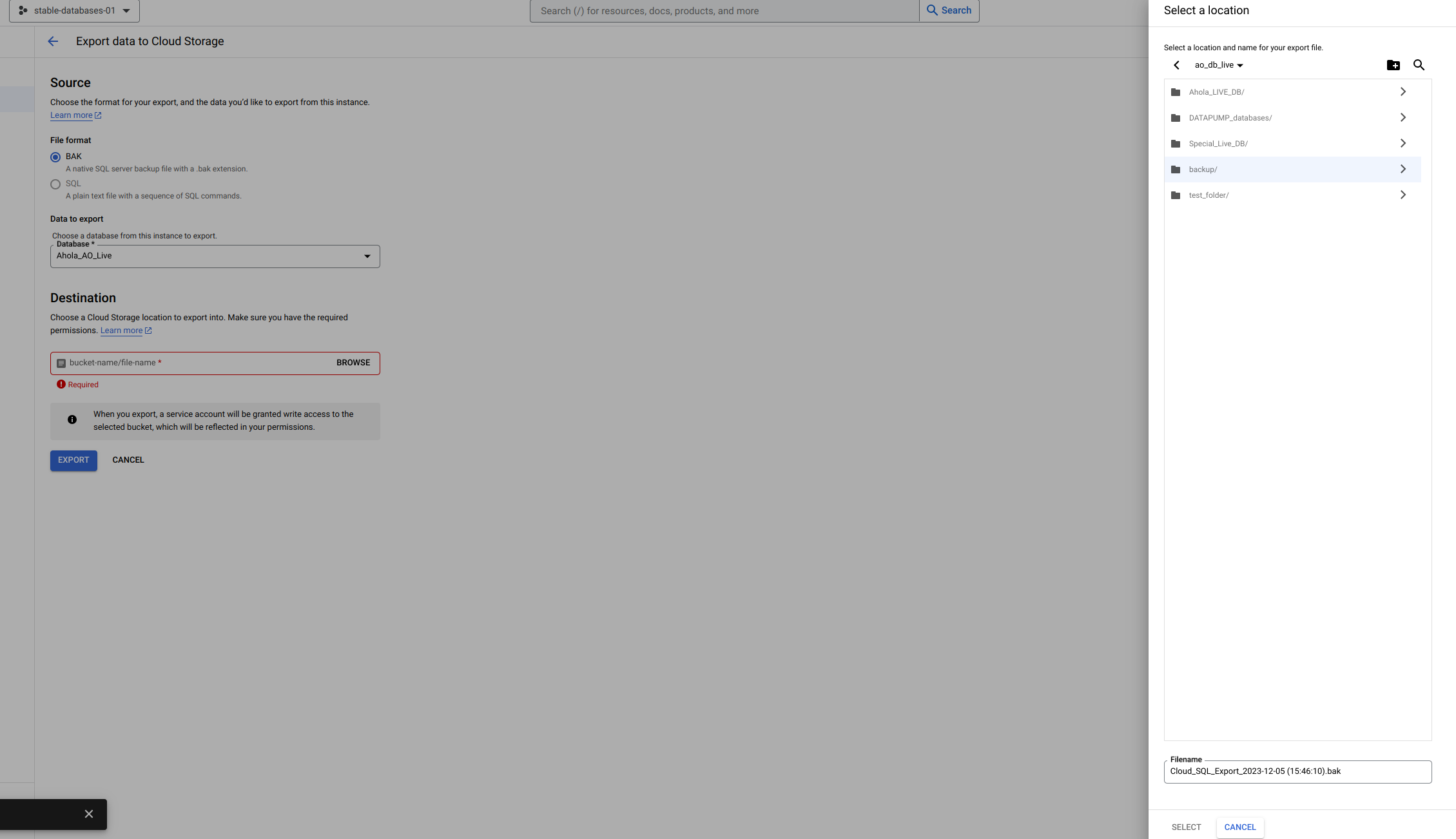
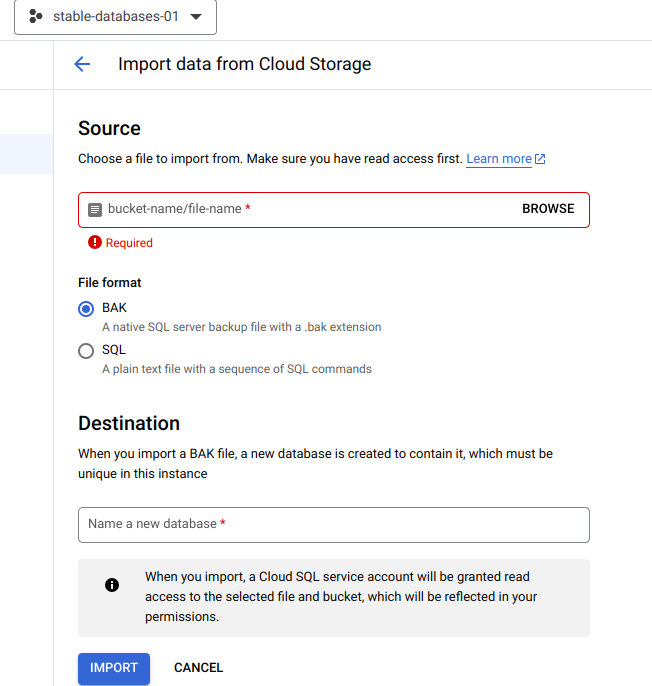
Export is done, import restored database to Stable
- Import database to current Stable SQL instance
Take restored database to in use
- Shutdown all servers, services, close client connections and deny new connections to HostServers.
- Rename "corrupted database" from MSSQL, you might need to change database to single user mode.
- Rename restored database to replace the "corrupted database" in MSSQL