GCP Load Balancer: Identity-Aware Proxy (IAP)
On some backend services, we are using IAP to identify users who should have access to a specific applications. In Terraform, the configuration looks like this:
resource "google_compute_backend_service" "dependency_track_frontend" {
  ...
  iap {
    enabled          = true
    oauth2_client_id = "436670496056-vthdj0qrlrclv89f8pturd1qlt7n65va.apps.googleusercontent.com"
  }
  ...
 }
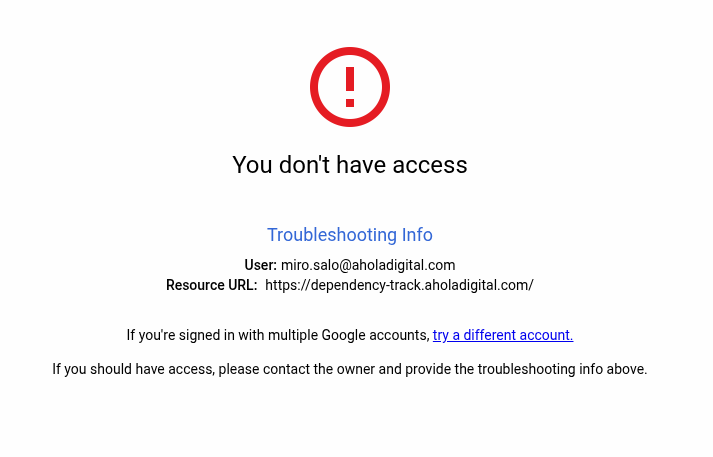
If the user does not have permission to access the application, this error will be thrown: GCP logging:
{
  "insertId": "8vwvebfkxo40j",
  "jsonPayload": {
    "statusDetails": "handled_by_identity_aware_proxy",
    "remoteIp": "212.226.141.42",
    "enforcedSecurityPolicy": {
      "name": "devops-default-policy",
      "priority": 2147483647,
      "outcome": "ACCEPT",
      "configuredAction": "ALLOW"
    },
    ...
  },
  "httpRequest": {
    "requestMethod": "GET",
    "requestUrl": "https://dependency-track.aholadigital.com/favicon.ico",
    "requestSize": "27",
    "status": 403,
    ...
  ...
  },
  ...
  "severity": "WARNING",
  ...
}
Error on the website:
To configure the permissions, you should configure and/or apply the correct Google Context-Aware Access (CAA) access level for the GCP IAP application like so:
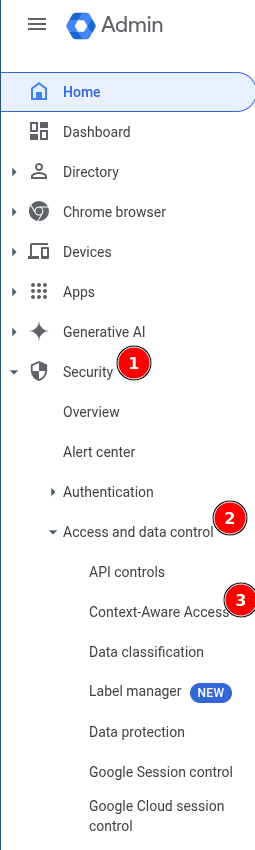
1. Identify the correct CAA in Google Admin:
1. Link: https://admin.google.com/u/2/ac/security/context-aware/access-levels
2. Alternatively, navigate using images:
 3.
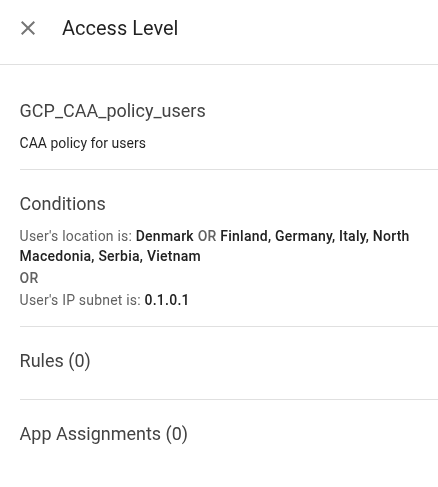
3. 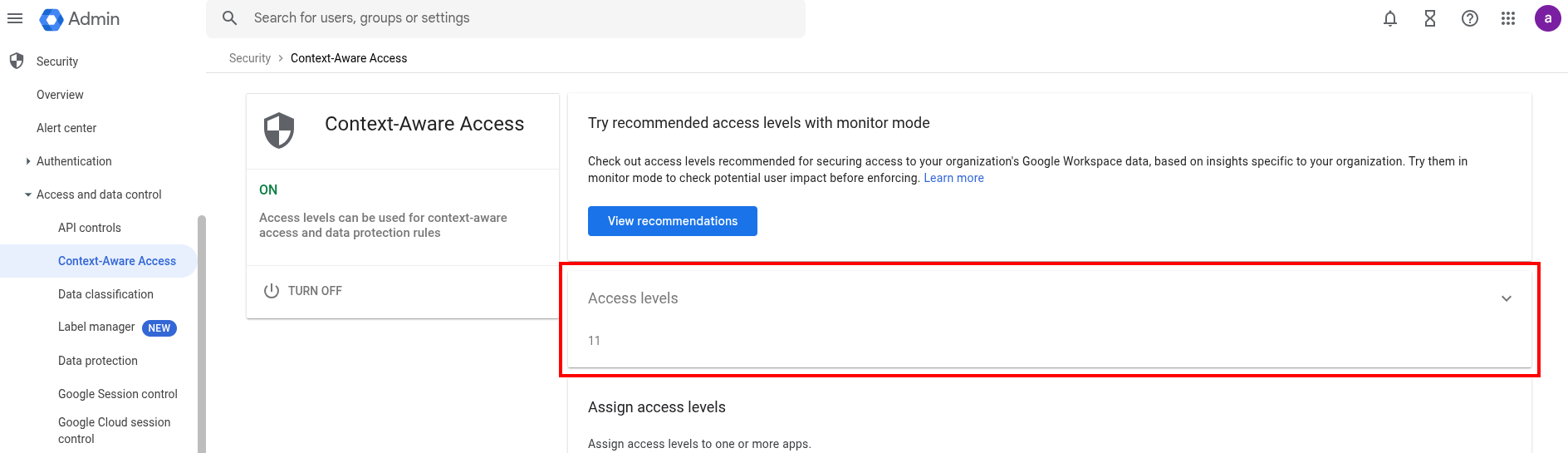 4. This one is a good candidate for a basic user authentication CAA access level:
 2. Apply the CAA access level to the IAP application:
1. Give the desired group (likely
2. Apply the CAA access level to the IAP application:
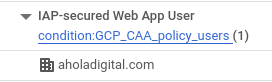
1. Give the desired group (likely GCP_CAA_policy_users) the role IAP-secured Web-App User: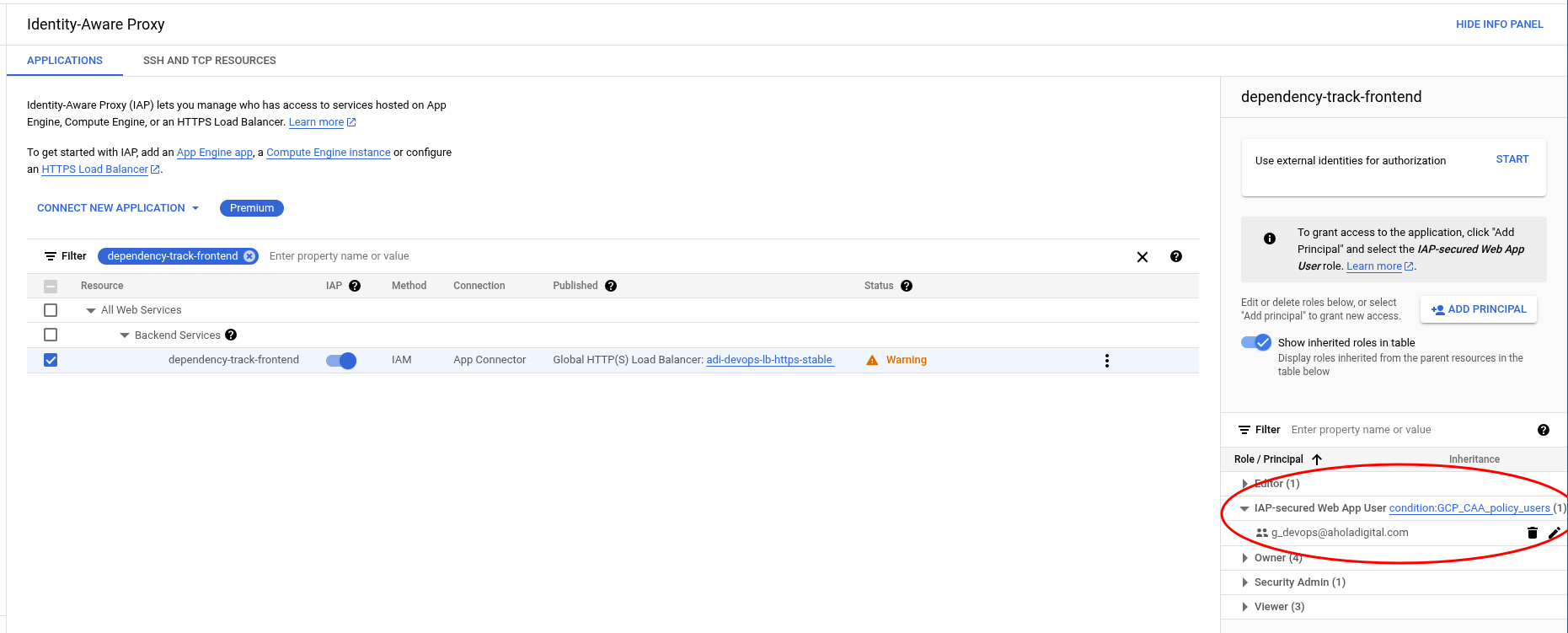 2. You can also give domain-level access by specifying the domain (e.g.
 aholadigital.com) as the principal.
 3. After a few minutes, the permissions start applying and the users can now access the application.