Edi-helper nightly and edi-helper-grpc
In order to get to work edi-helper:
1. Migration the edi-helper-nightly backend from tms to road-cc-confidential-instance-nightly-1 & 2 with terraform:
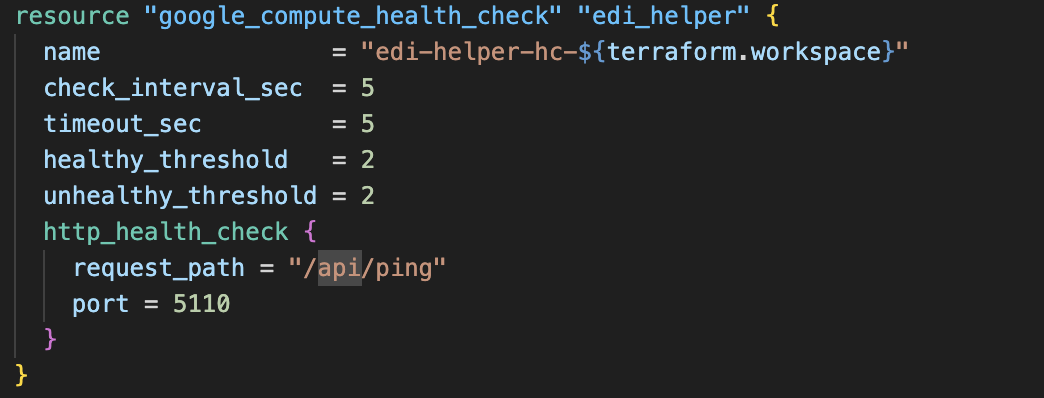
* we are making health check:
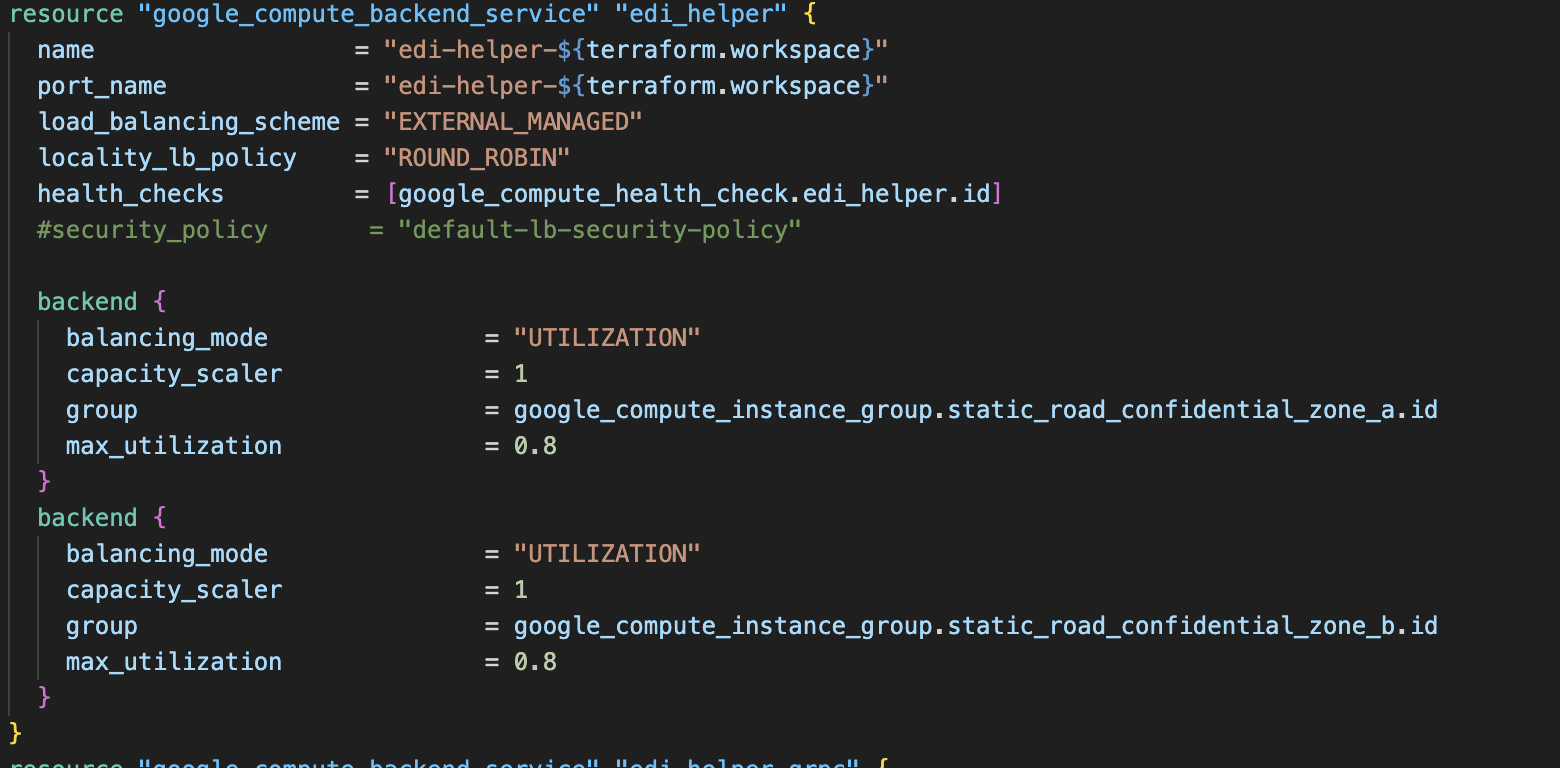
2.  * after that we are making backend service:
 * we are adding path matcher:
 * we are adding host rule:
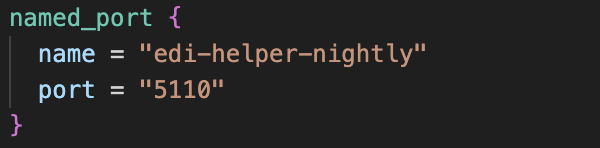
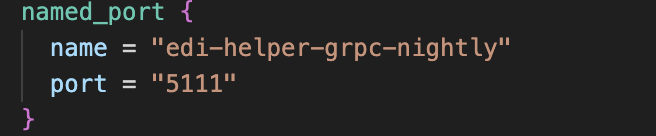
 * after that we are adding named port for the app for road zone a and b:
 Once this is completed with terraform we have successfully made backend service and health check for the edi-helper-nightly application.
After that in attracs-linux-playbooks github repo in supervisior we need to find the right conf.j2 file for the following application and add it to road cc 1 and 2 instances.
Once this is completed with terraform we have successfully made backend service and health check for the edi-helper-nightly application.
After that in attracs-linux-playbooks github repo in supervisior we need to find the right conf.j2 file for the following application and add it to road cc 1 and 2 instances.
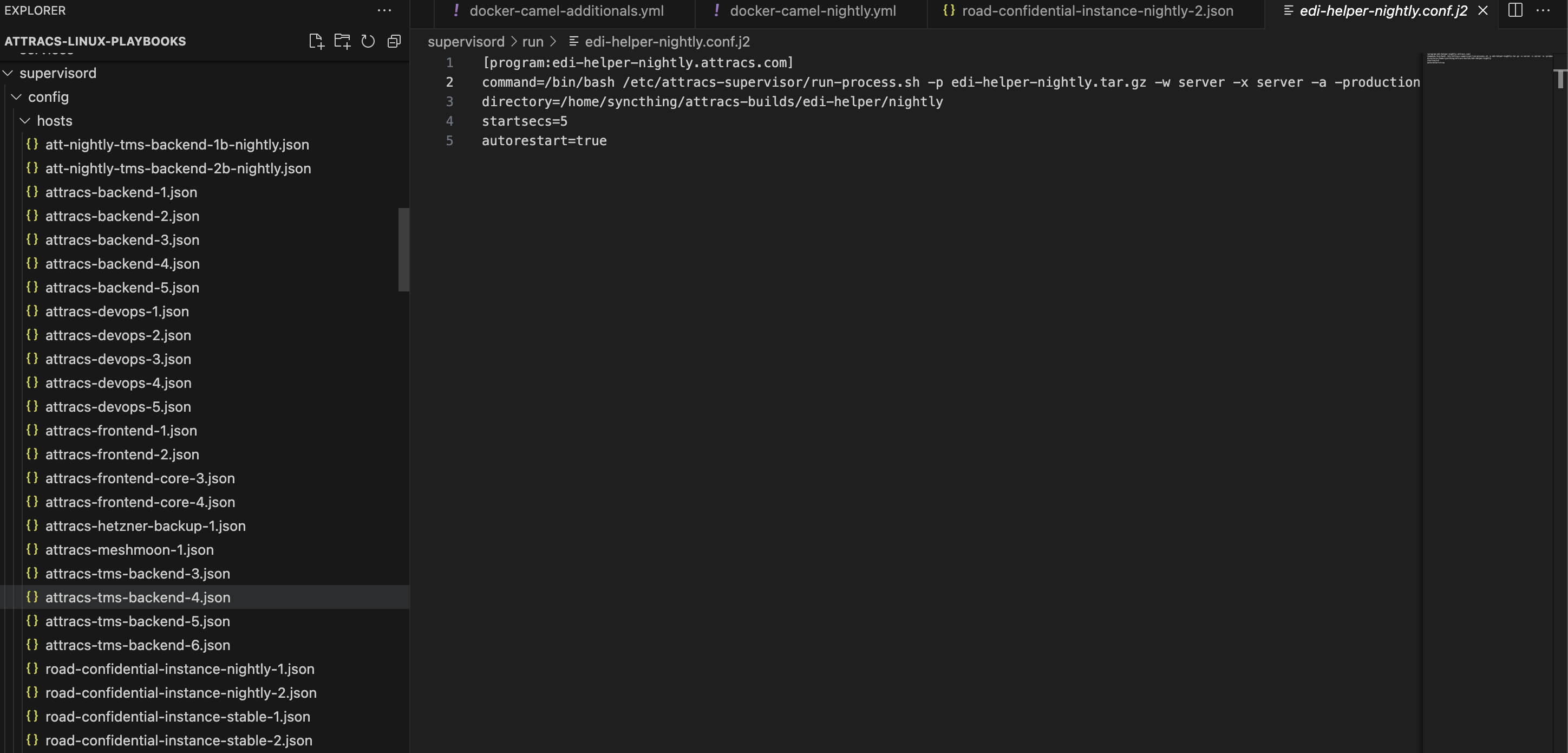
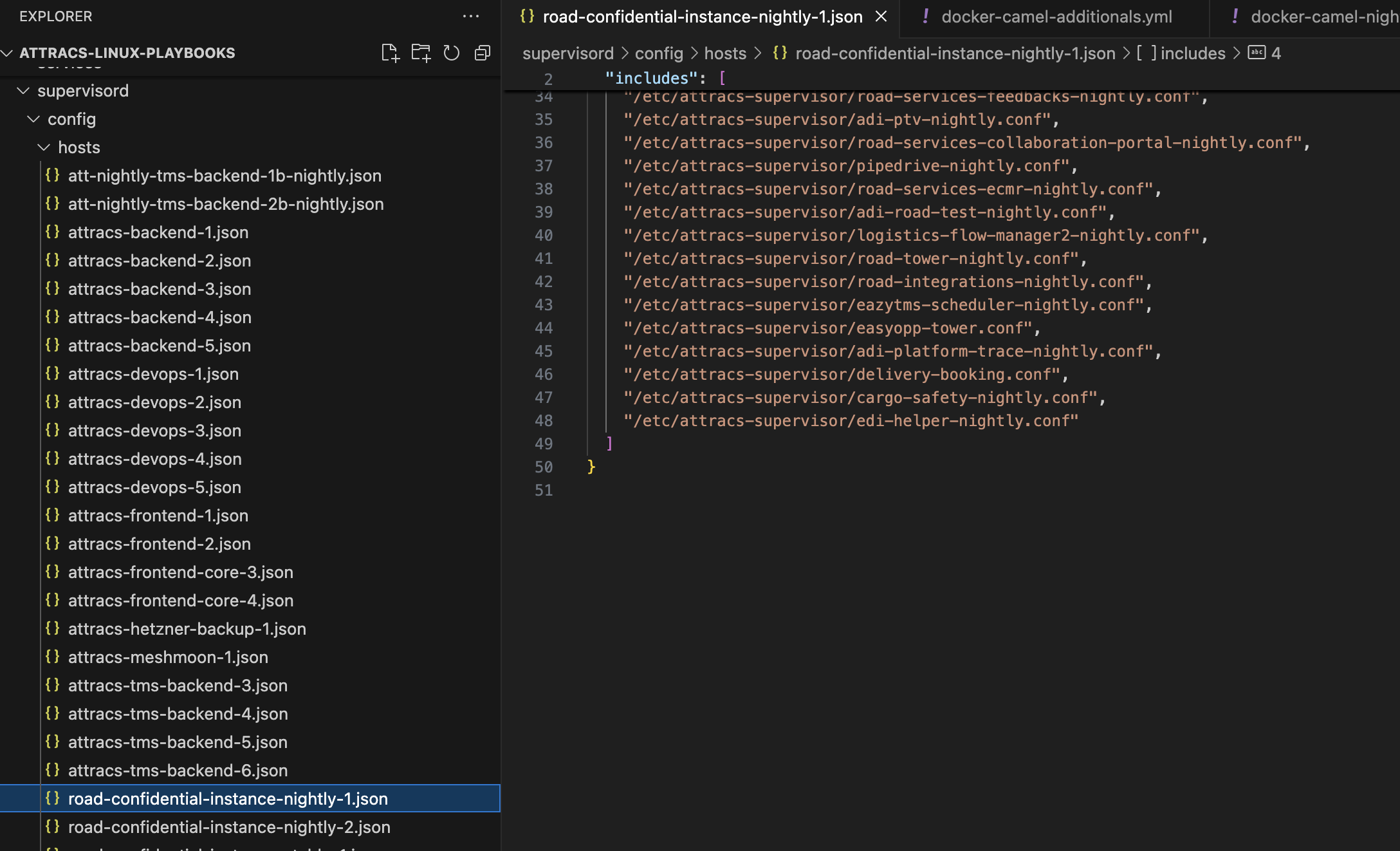 And the final step is it in managevisor on road-cc-instances-nightly-1 and 2 to reload supervisior config on order to add edi-helper-nightly-attracs.com to road-cc-1 and 2.

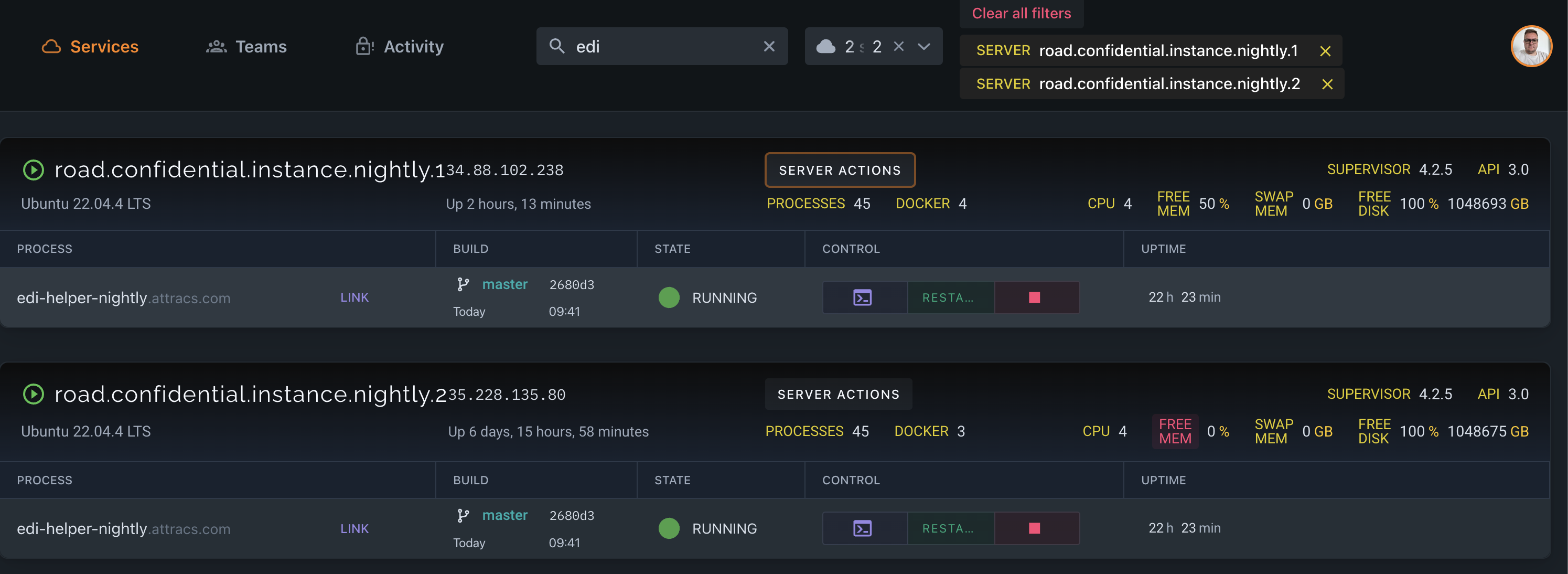 When all of this is done, we are logging on GCP to load balancing on road-cc nighly instances to see that our health check for the application is healthy.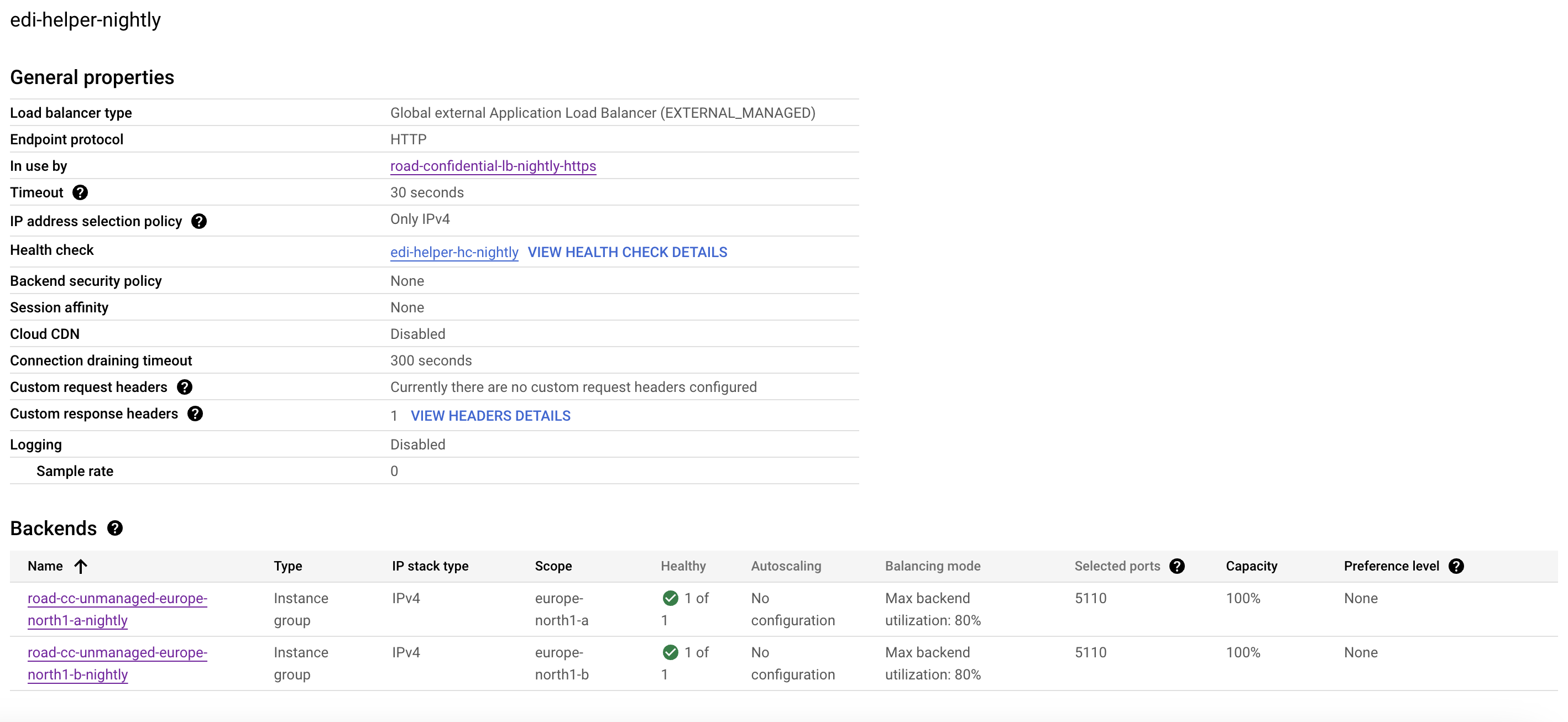
Edi-helper-nightly GRPC
The following backend is deployed the same way, but in order to find out how it is working you need to know that GRPC is. I will explain the whole process with pictures for easy deployment in order that we need in future. 1. When we are creating the health check for edi-helper-grpc-nightly we need to remember that health check MUST always have the same PORT with the health check of the backend in order to work and go in healthy state. For example:
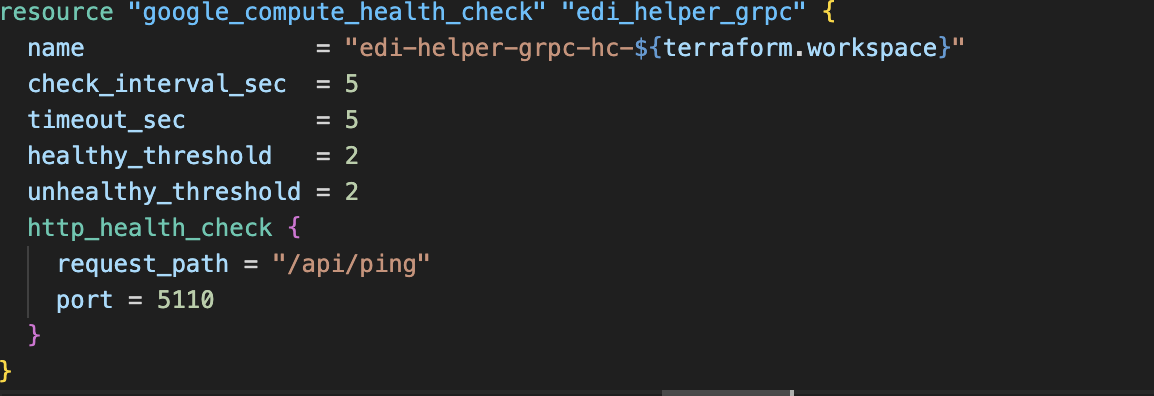 1. After that the backend:
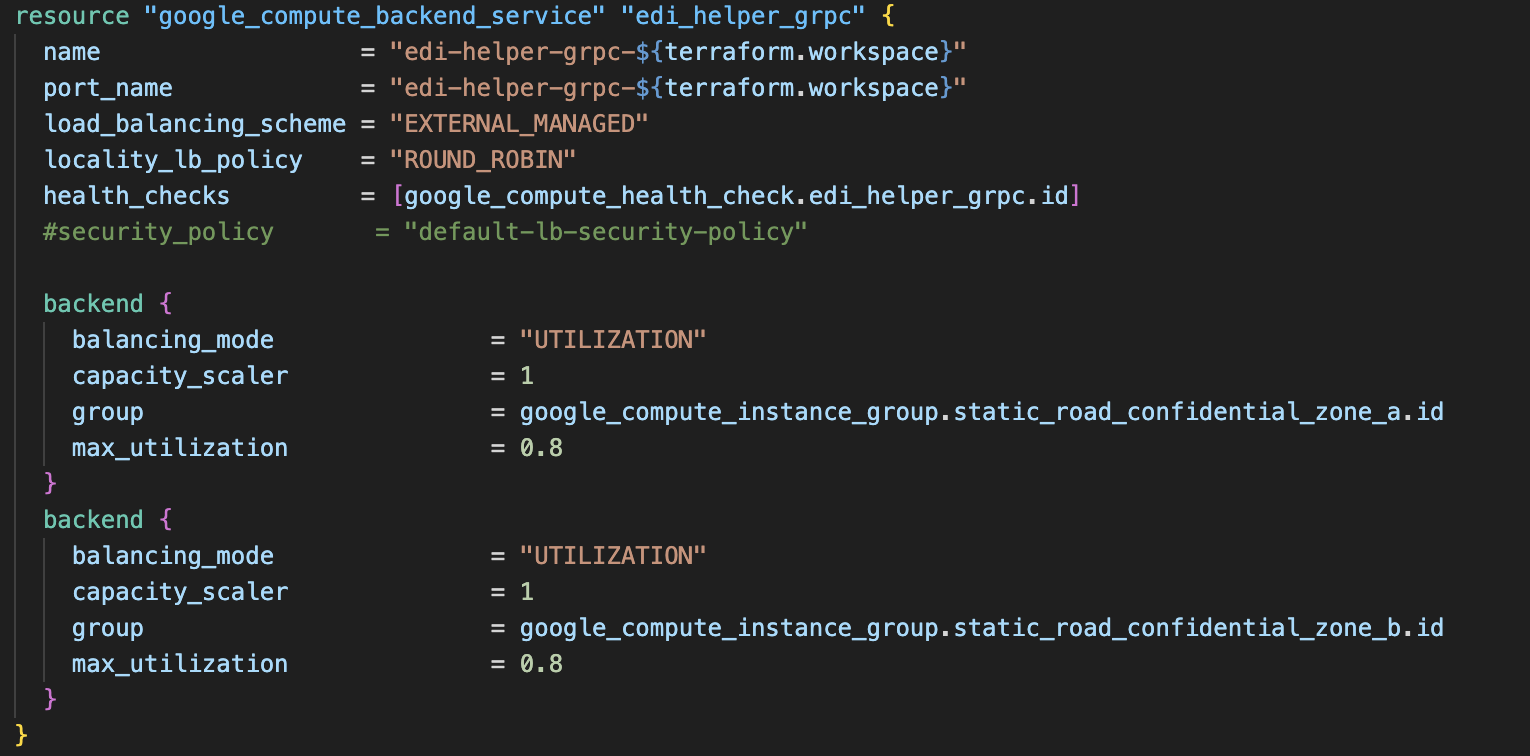 1. The path matcher and the host rule:

 1. And the lastly is the named port in road cc 1 and 2 zone A and B:
Conclusion:
When we are creating backend service for edi-helper-grpc-nightly we define it's own port in this example is: 5111
And when we are making health check for edi-helper-grpc-nightly we setup the port to be the same with the health check of edi-helper-nightly, in this example: 5110
Here is the example with picture from GCP:
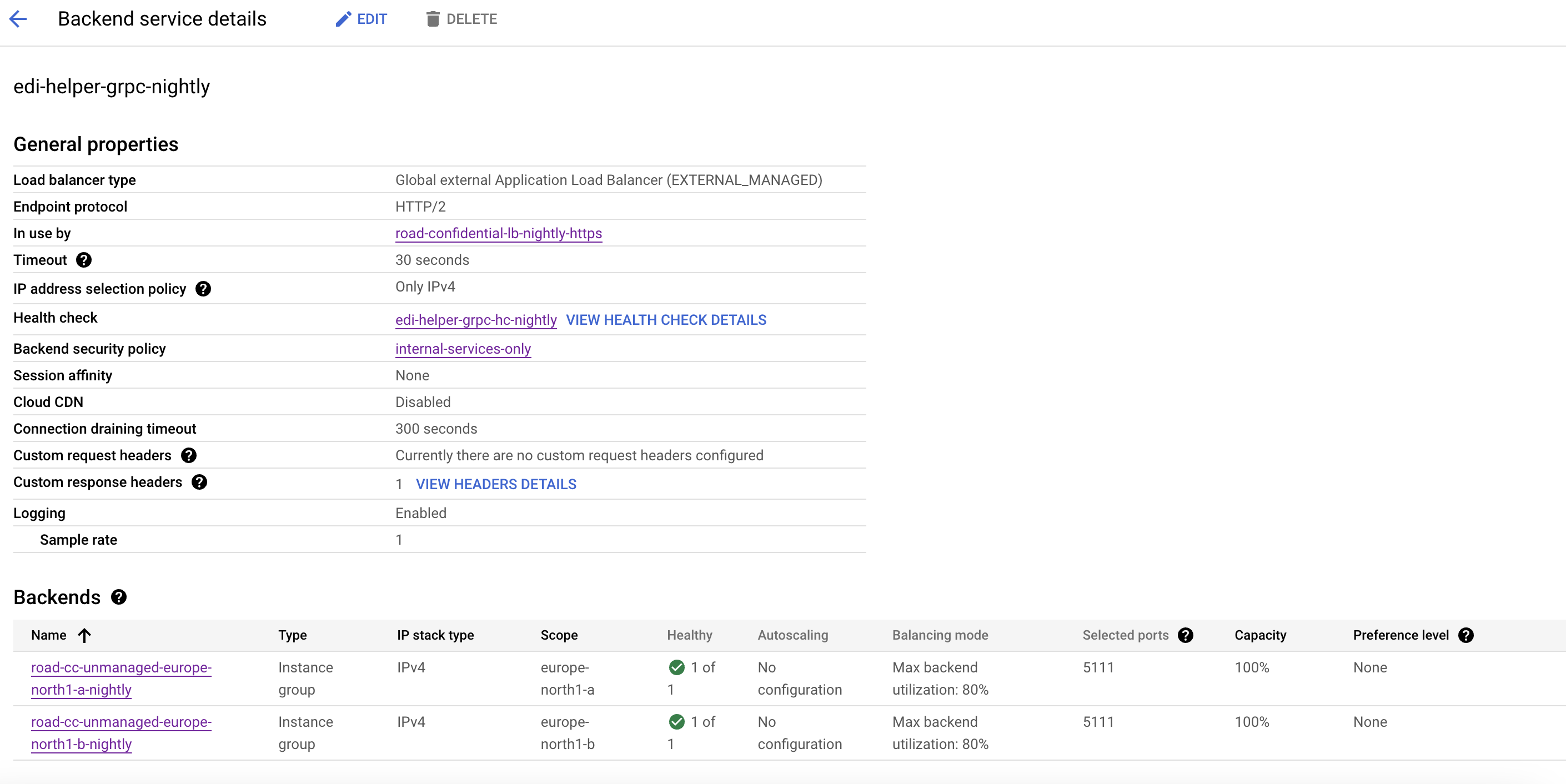
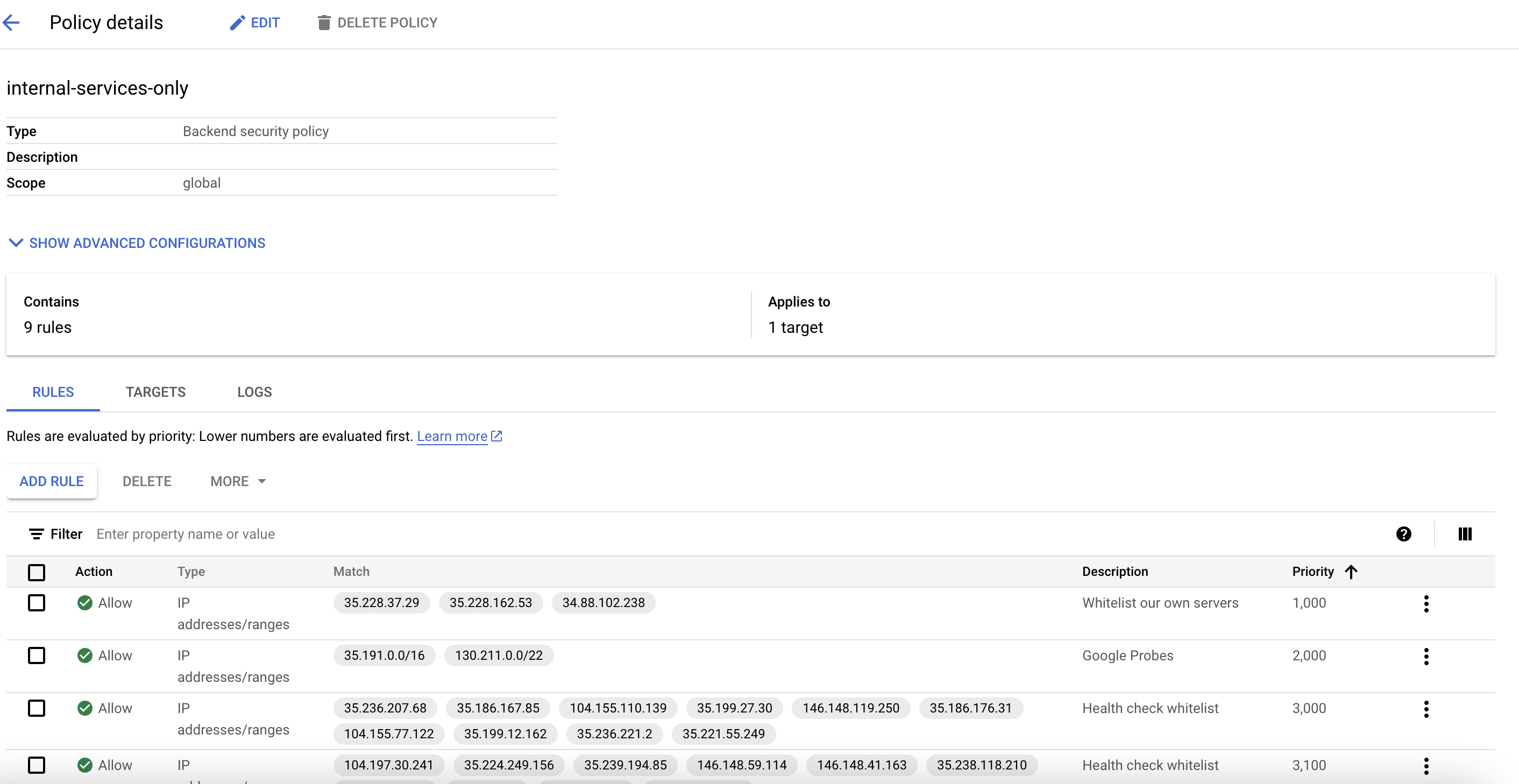
 Also for the edi-helper-grpc-nightly we need to create Backend security policy as you may see in the picture: