GCP: Updating the agent
Monitoring ➝ Dashboards ➝ VM instances
Normal version update
TODO figure out if this is something Google does automatically
Updating from Legacy
Upgrade devops.4 & 5 legacy agents to ops agents (https://app.clickup.com/t/861mpa5zt)
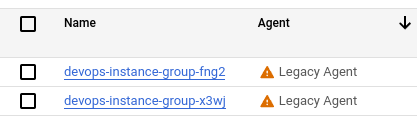
To migrate from the legacy Logging and Monitoring agents, complete the following steps.
Uninstall the Logging and the Monitoring agents.
After you uninstall the agent, the Google Cloud console might take up to one hour to report this change.
Install the latest version of the Ops Agent on a single virtual machine.
You also have the option of installing and managing the Ops Agent on multiple VMs.
Configure the Ops Agent as needed.Uninstalling the Logging agent:
Run the following command:
sudo bashadd-logging-agent-repo.sh--uninstallUninstalling the Monitoring agent:
Run the following command:
sudo bash add-monitoring-agent-repo.sh --uninstall